Getting started · Article 6 of 7
Tour of the admin panel
Find your way around — the sidebar, the top bar, page help, notifications and the War Room button.
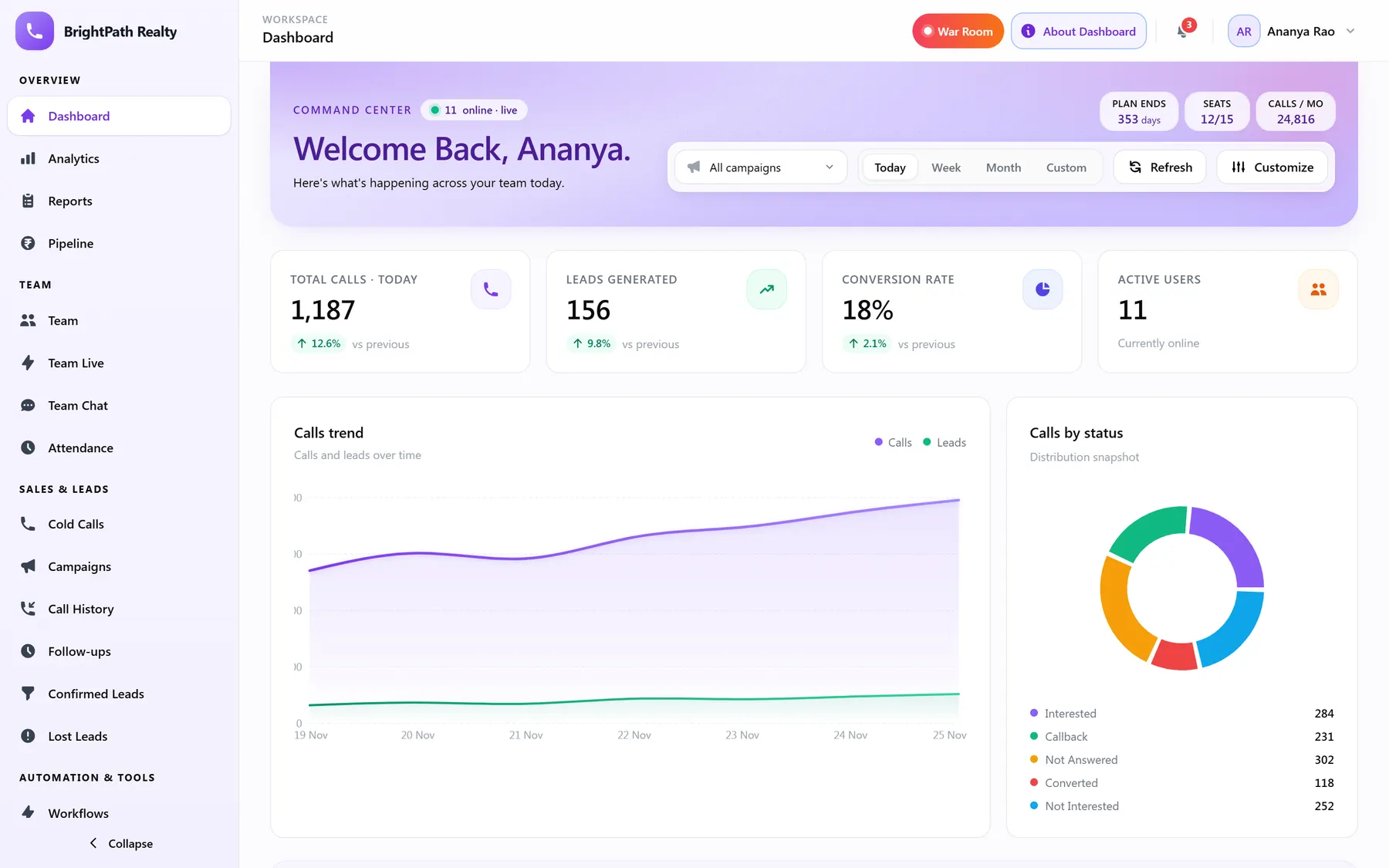
The admin panel has three parts: the sidebar on the left, the top bar across the top, and the page in the middle.
The sidebar
The sidebar is grouped by what you're doing. Admins see everything below. Managers and team leads see a shorter menu — see Managers & team leads.
| Group | Pages |
|---|---|
| Overview | Dashboard, Analytics, Reports, Pipeline |
| Team | Team, Team Live, Team Chat, Attendance |
| Sales & Leads | Cold Calls, Campaigns, Call History, Follow-ups, Confirmed Leads, Lost Leads |
| Automation & Tools | Workflows, Scripts, Templates, WhatsApp, Integrations, Cloud Calling |
| Account | Billing, Support, Settings |
Click Collapse at the bottom of the sidebar for more screen space.
The top bar
- War Room (red button) — opens the full-screen live view of your sales floor. See War Room.
- About this page — opens a short explanation of the page you're on, with tips. Every page has one.
- Bell icon — your notifications. See Notifications.
- Your name — profile menu, including replay the tour and sign out.
The welcome tour
The first time you open the dashboard, a 60-second tour points out the sidebar, filters, KPI cards, where to add agents, where to upload numbers and where to get the mobile app. You can replay it any time from the profile menu in the top-right.
Common page controls
Most list pages share the same controls:
- Date range — Today / Week / Month / All or a custom range.
- Filters — click Filters to expand; the badge shows how many are active. Clear all resets them.
- Export — download what you see as Excel or CSV.
- Hierarchy tabs — managers and team leads can switch between their own data and each person below them.
If your subscription has expired, the sidebar shows only Billing, Support and Settings until you renew. See Pay, renew & upgrade.
Not sure what a page does? Click About this page in the top bar — it explains the page in two lines and lists the main steps.