Cloud calling · Article 1 of 4
Connect Vobiz cloud calling
Connect your Vobiz account so agents can call from the browser or bridge through their mobile, with automatic recording.
Cloud calling lets your agents call leads from a business number — from the browser, or bridged through their own mobile — with every call logged and recorded automatically. It runs on Vobiz, a cloud telephony provider. You buy your numbers and calling balance on Vobiz, and connect the account to TeleCalling CRM.
Before you start
- Create an account at console.vobiz.ai.
- Complete KYC on Vobiz — calls may be blocked until it's verified.
- Add balance and buy at least one phone number on Vobiz.
Connect your account
- In TeleCalling CRM, go to Cloud Calling (under Automation & Tools).
- Under Connect your Vobiz account, paste your Auth ID and Auth Token — copy them from your Vobiz console.
- Click connect. You'll see Connected to Vobiz.
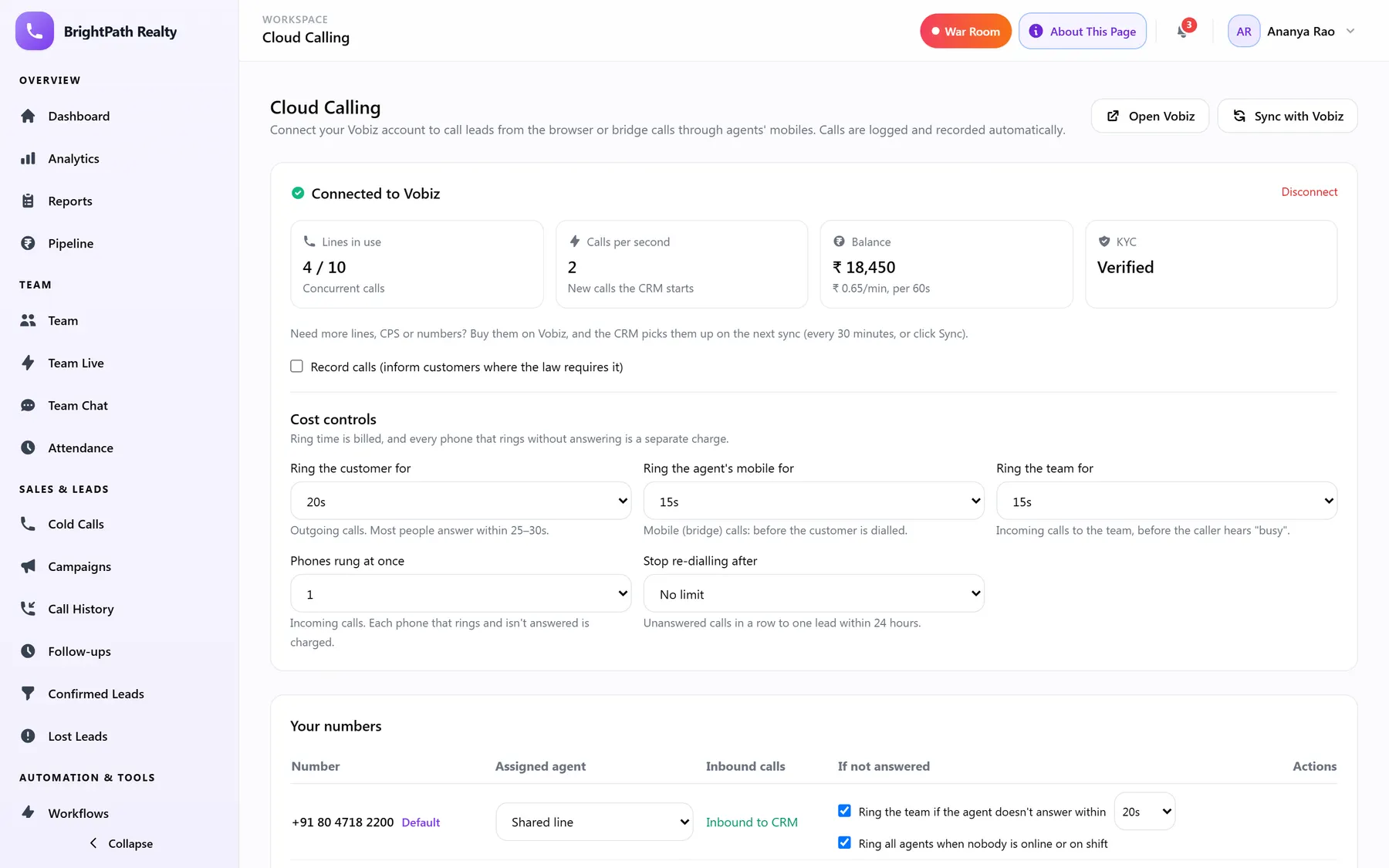
Once connected, the top of the page shows:
| Item | Meaning |
|---|---|
| Lines in use | Concurrent calls in use now, out of your limit |
| Calls per second | How many new calls the CRM can start each second |
| Balance | Your Vobiz balance |
| KYC | Whether your Vobiz KYC is verified |
Call recording
Tick Record calls (inform customers where the law requires it) to record every cloud call. Recordings appear on each call in Call History.
Buying more numbers or lines
Need more lines, CPS or numbers? Buy them on Vobiz, and the CRM picks them up on the next sync (every 30 minutes, or click Sync with Vobiz).
Disconnect
Click Disconnect and confirm Disconnect Vobiz?. Agents fall back to SIM calling from the mobile app.
Common questions
"KYC isn't verified on your Vobiz account." Finish KYC on Vobiz to avoid calls being blocked.
"No numbers found on your Vobiz account." Buy a number on Vobiz, then click Sync with Vobiz.
"number(s) already belong to another organisation." That Vobiz number is connected to a different TeleCalling CRM account. Disconnect it there first, or contact support.