Monitoring & reports · Article 6 of 7
Report builder
Build your own call and follow-up reports — group by agent, day, status or source — then export or save them.
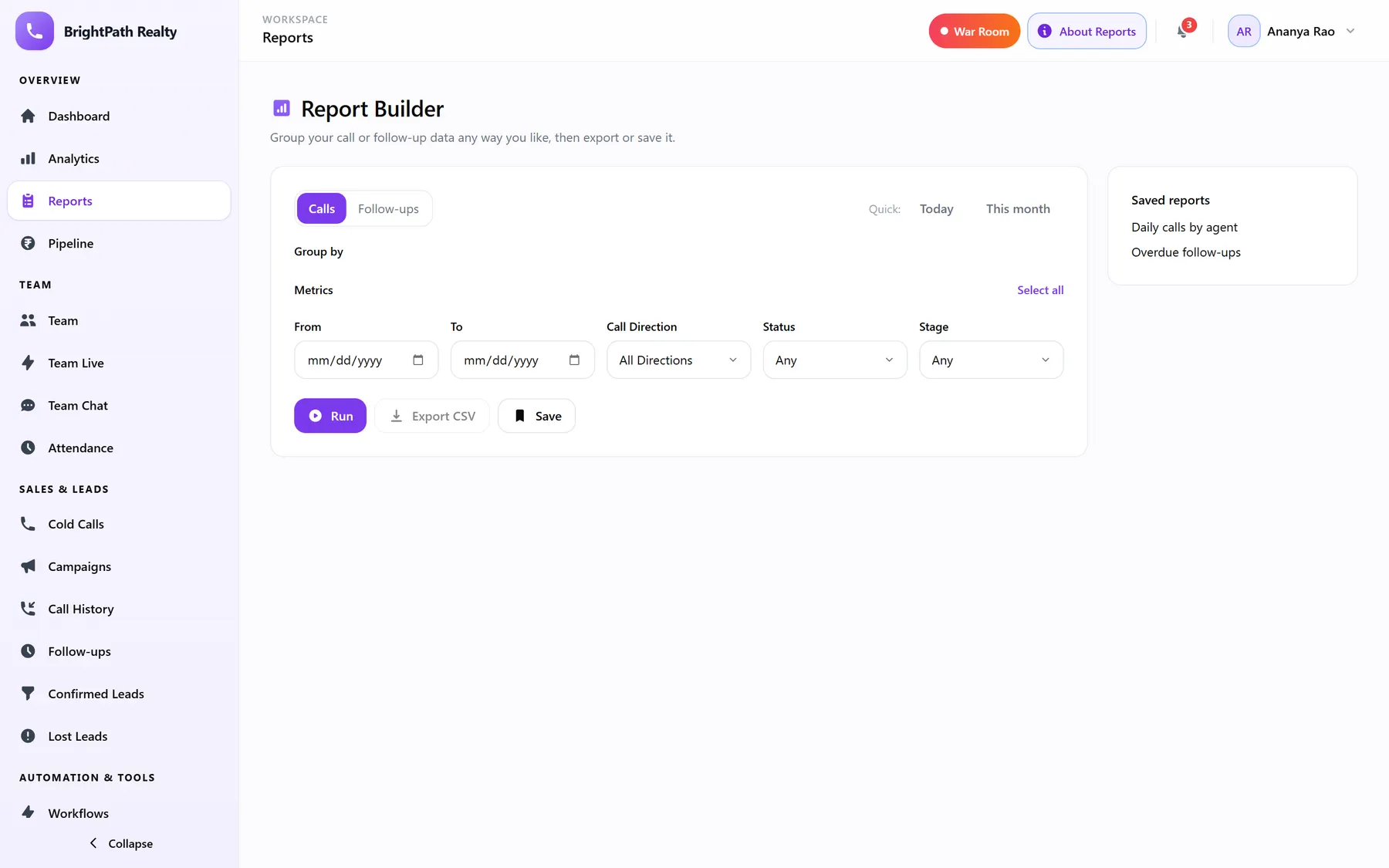
The Report Builder lets you group your call or follow-up data any way you like, then export or save it.
Build a report
- Go to Reports.
- Choose Calls or Follow-ups.
- Pick the dates — or use Quick: Today / This month.
- Group by — for example agent, day, status, source or campaign.
- Tick the Metrics you want — e.g. calls, talk time, conversions.
- Add filters if you need them: Call Direction (Inbound Only / Outbound Only), Status, Stage, Lead score.
- Click Run.
Export or save
- Export CSV downloads the result for Excel.
- Save keeps the report under Saved reports, so you can run it again in one click next week.
Report ideas
| Report | Group by | Filter |
|---|---|---|
| Daily calls per agent | Agent | This month |
| Which sources convert | Source | Status = Interested |
| Inbound call volume | Day | Direction = Inbound Only |
| Hot leads by agent | Agent | Lead score = Hot |