Calling · Article 4 of 5
Call scripts
Give agents the right talking points on screen during the call — and show a different script at each stage.
Call scripts are talking points your agents see while they're on a call. New agents sound confident from day one, and everyone gives the same pitch.
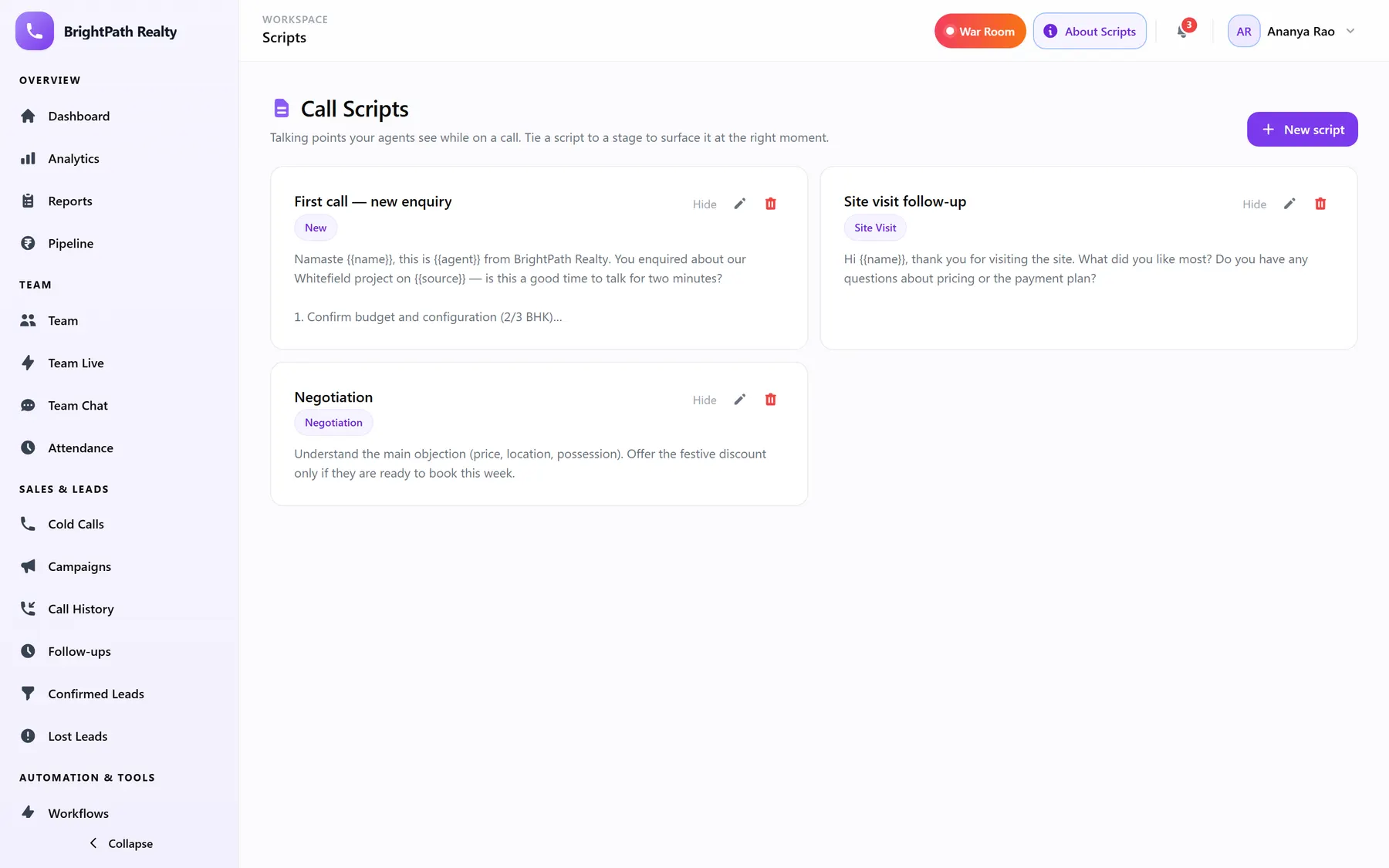
Create a script
- Go to Scripts (under Automation & Tools).
- Click New script.
- Fill in:
- Title — e.g. Opening pitch
- Show for stage — All leads, or a specific pipeline stage such as Negotiation
- Script — what the agent should say. Use line breaks for steps or bullet points.
- Active — leave ticked
- Save.
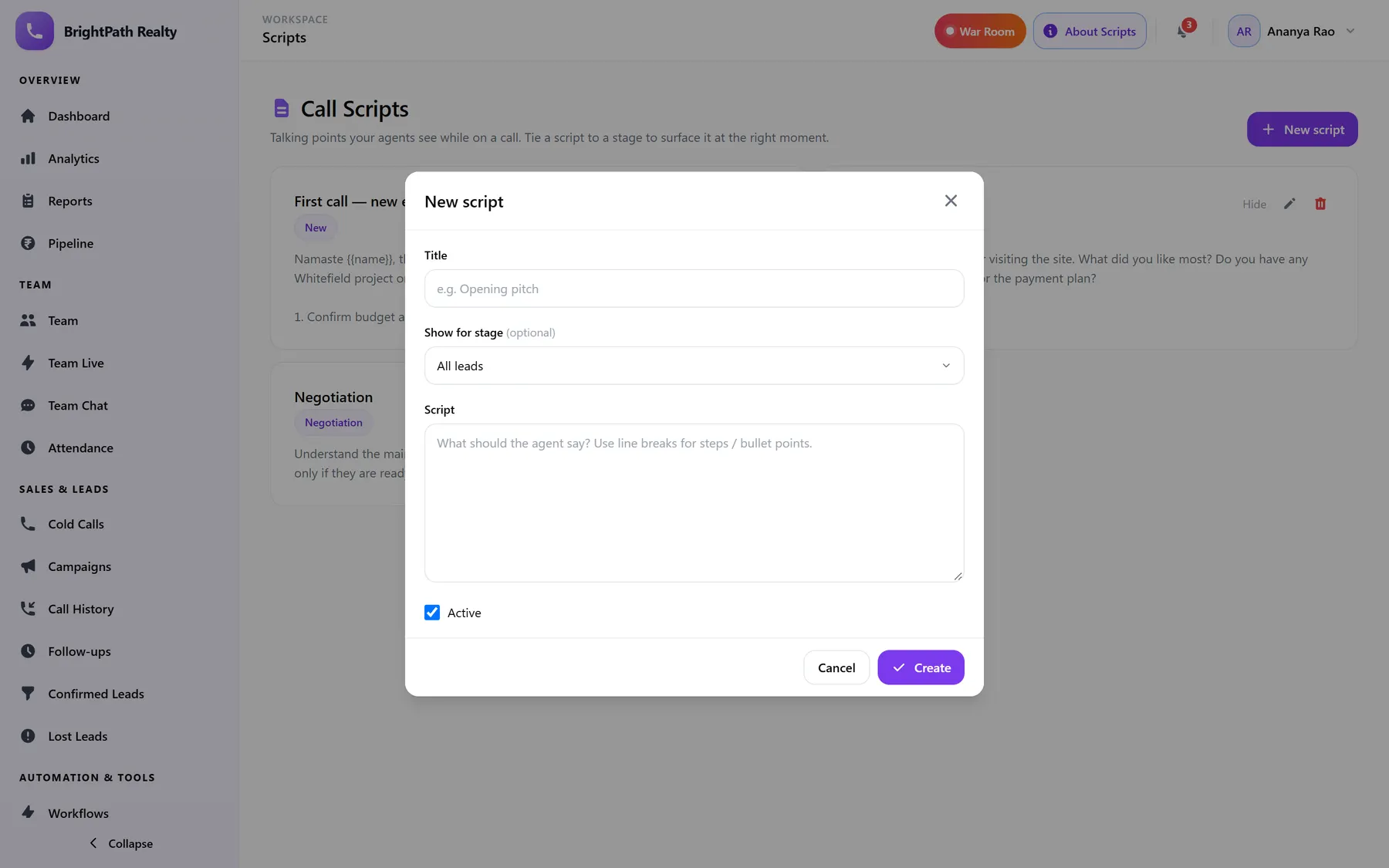
How agents see it
When an agent opens a lead in their workspace, the script for that lead's stage appears in a panel beside the call. They can make the text bigger or smaller with the A− / A+ buttons.
Tie scripts to stages so the right words show up at the right moment:
| Stage | Script idea |
|---|---|
| New | Introduction, why you're calling, two qualifying questions |
| Contacted | Recap their need, propose a site visit or demo |
| Negotiation | Common objections and how to answer them |
Example script
Opening — first call
1. "Hi, am I speaking with {name}? This is Rahul from BrightPath Realty."
2. "You enquired about our Whitefield project on 99acres — is now a good time?"
3. Ask: budget, configuration (2/3 BHK), when they plan to buy.
4. Offer a site visit this weekend. Book a follow-up before ending the call.
To stop using a script, edit it and untick Active, or delete it.