Calling · Article 2 of 5
Call statuses (call outcomes)
Set up the outcomes agents choose after each call — and decide which ones count as conversions, connected calls, follow-ups or Do-Not-Call.
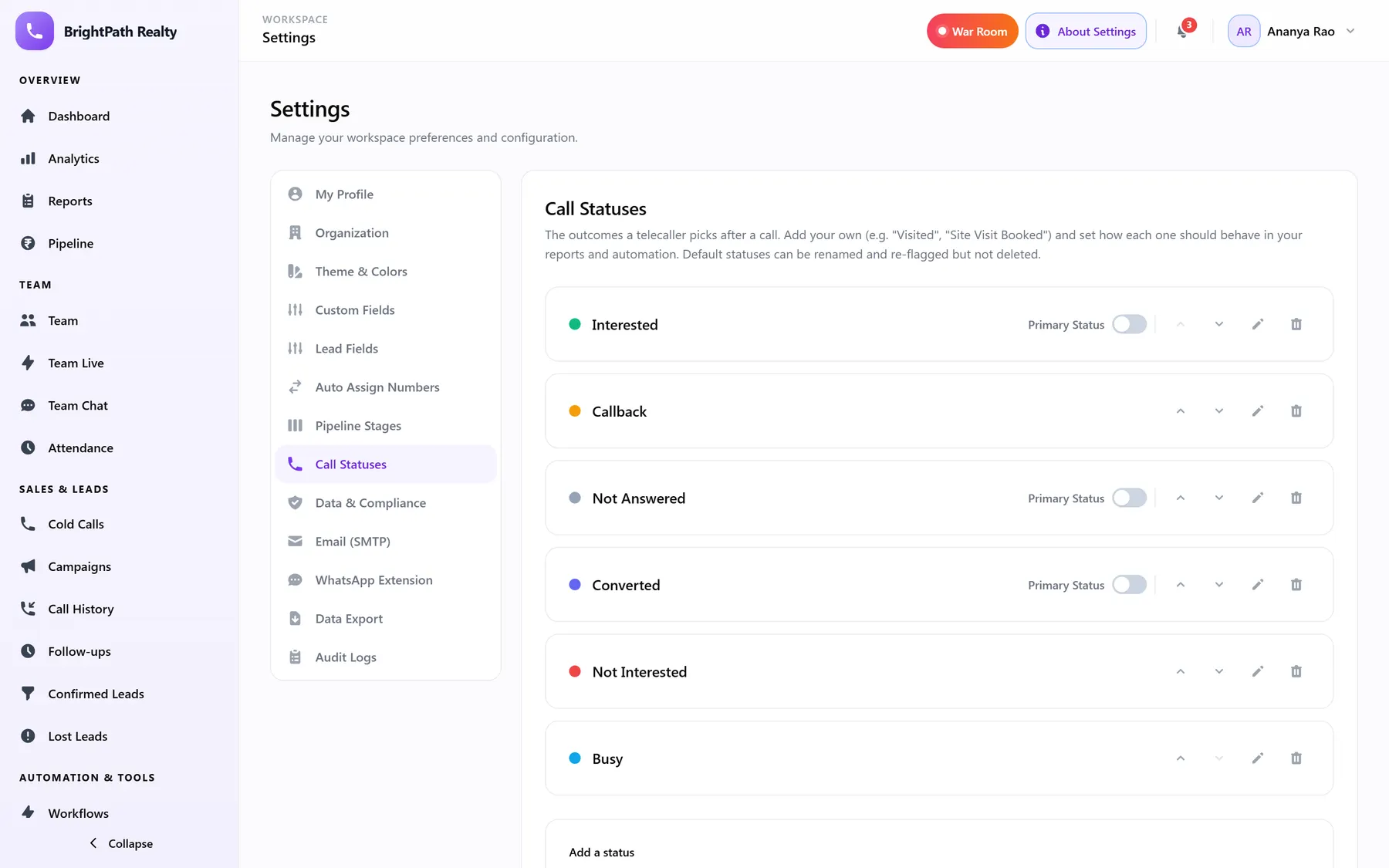
A call status is the outcome an agent picks after a call — Interested, Callback, Not Lifting and so on. Call statuses drive your conversion %, connection rate, automatic follow-ups and the Do-Not-Call list, so it's worth setting them up properly.
The default statuses
| Status | Counts as conversion | Counts as connected | Auto follow-up | Mark Do-Not-Call |
|---|---|---|---|---|
| Interested (primary) | ✓ | ✓ | ✓ | |
| Callback | ✓ | ✓ | ||
| Not Interested | ✓ | ✓ | ||
| Not Lifting | ✓ | |||
| Invalid | ✓ |
Interested also asks the agent for a lead score (Hot, Warm or Cold).
Add your own status
- Go to Settings → Call Statuses.
- Under Add a status, type a name — e.g. Site Visit Booked or Visited.
- Pick a colour and click Add.
- Tick the behaviour you want (below).
What each setting does
| Setting | What it does |
|---|---|
| Activate primary status | Makes this the main conversion status in reports and analytics. Only one status can be primary. |
| Counts as conversion | Feeds your Conversion % — a positive outcome. |
| Counts as connected | The call was answered — feeds your answer and connection rates. |
| Auto follow-up | Creates a follow-up when the agent sets a follow-up date. |
| Ask lead score | Prompts the agent for Hot, Warm or Cold. |
| Mark Do-Not-Call | Adds the number to your DNC list and archives it. See Duplicates & DNC. |
Rename, reorder or remove
- Click the pencil to rename a status or change its colour.
- Use the up and down arrows to change the order agents see.
- Click the bin to delete a status you added.
Note
The five default statuses can be renamed and re-flagged, but not deleted. Old calls always keep their status, even if you rename it later.
Tips for good statuses
- Keep the list short — 6 to 8 statuses. Agents pick faster and reports stay clean.
- Add one status per real next step your team takes — Site Visit Booked, Documents Pending, Demo Scheduled.
- Create a Do not call status with Mark Do-Not-Call on, for people who ask you to stop calling.