Follow-ups · Article 3 of 3
Follow-up reminders
How agents are reminded before each callback — on the phone and in the browser — and how to change the timing.
TeleCalling CRM reminds agents a few minutes before each scheduled follow-up, so no callback is missed.
Where reminders appear
- Mobile app — a notification on the phone. Tap it to open the lead.
- Web workspace — a pop-up with a Call now button, a few minutes before the follow-up.
- Agent home — Upcoming Callbacks Today lists the day's callbacks with a Call button.
Change reminder settings (agents)
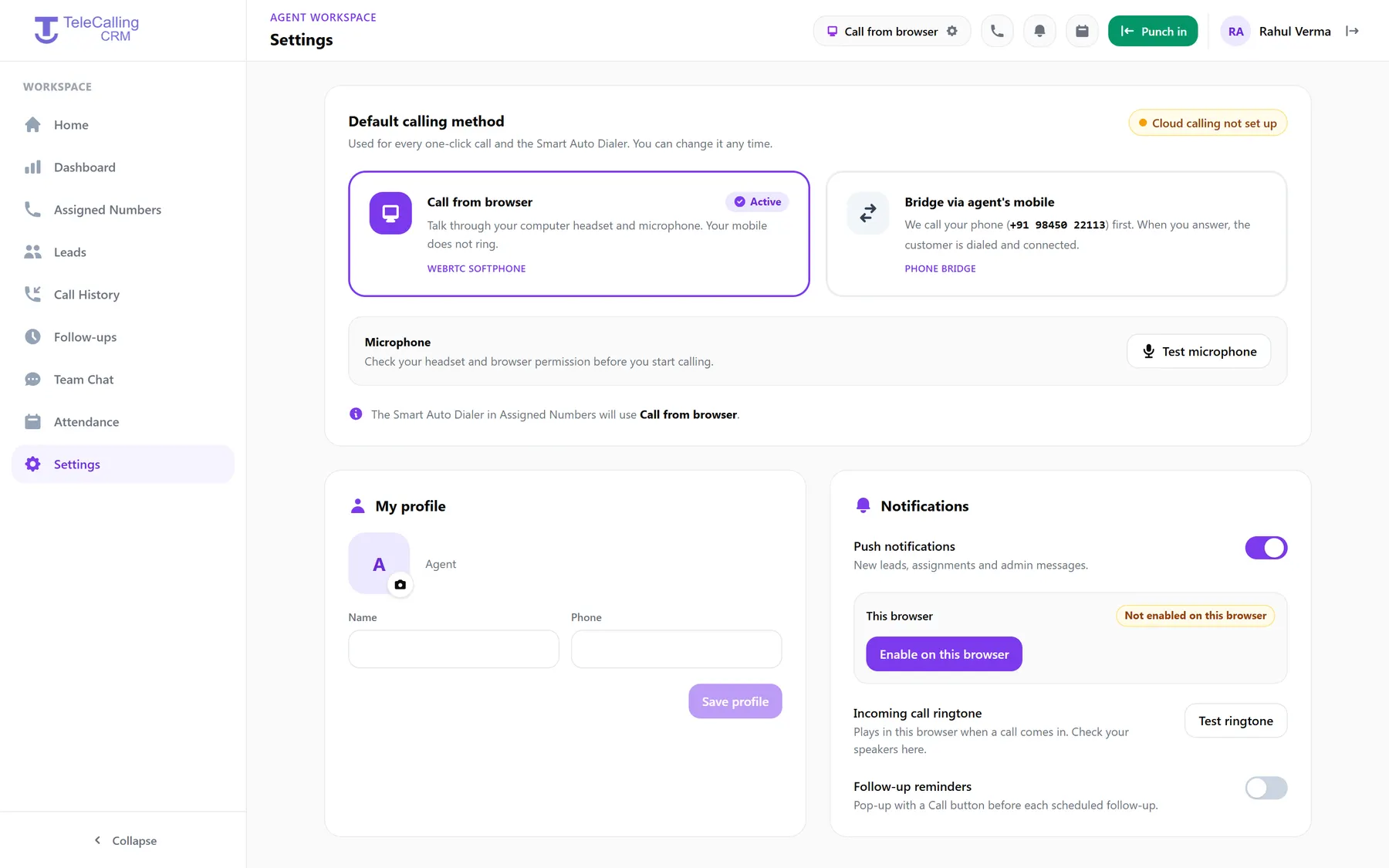
- In the agent workspace, open Settings.
- Under Notifications, switch Follow-up reminders on or off — Pop-up with a Call button before each scheduled follow-up.
- Use Remind me to choose how early.
Browser notifications not showing?
Click the lock icon next to the web address, set Notifications to Allow, then reload the page.
Overdue follow-ups
Follow-ups not completed by their time become Overdue. They stay at the top of the agent's Follow-ups list, and admins can see them on the Follow-ups page.