Calling · Article 1 of 5
SIM calling vs cloud calling
The two ways your agents can call — from their own phone through the mobile app, or from the browser with a business number.
TeleCalling CRM supports two ways of calling. You can use one or both.
| SIM calling (mobile app) | Cloud calling (browser or bridge) | |
|---|---|---|
| How it works | The agent taps Call in the app and their phone dials using their own SIM | Calls go through your Vobiz business number — from the browser, or bridged to the agent's mobile |
| Number the customer sees | The agent's mobile number | Your business number |
| What you need | The TeleCalling CRM app on an Android or iPhone | A Vobiz account with balance and at least one number |
| Call cost | The agent's normal mobile plan | Vobiz per-minute rates |
| Recordings | Picked up from the phone's call recordings | Recorded automatically on the server |
| Incoming calls | Customers call the agent's mobile | Customers call your business number and it rings the right agent |
| Best for | Small teams, field sales, teams that already use company SIMs | Office teams, one shared business number, strict recording needs |
SIM calling
- Agents install the mobile app and sign in.
- They open Assigned Numbers, tap a lead and tap Call.
- When the call ends, the app asks for the outcome — see Log a call outcome.
Calls made from the phone's own dialer to a lead's number are picked up from the call log too, and show as auto-logged in the lead's history.
Cloud calling
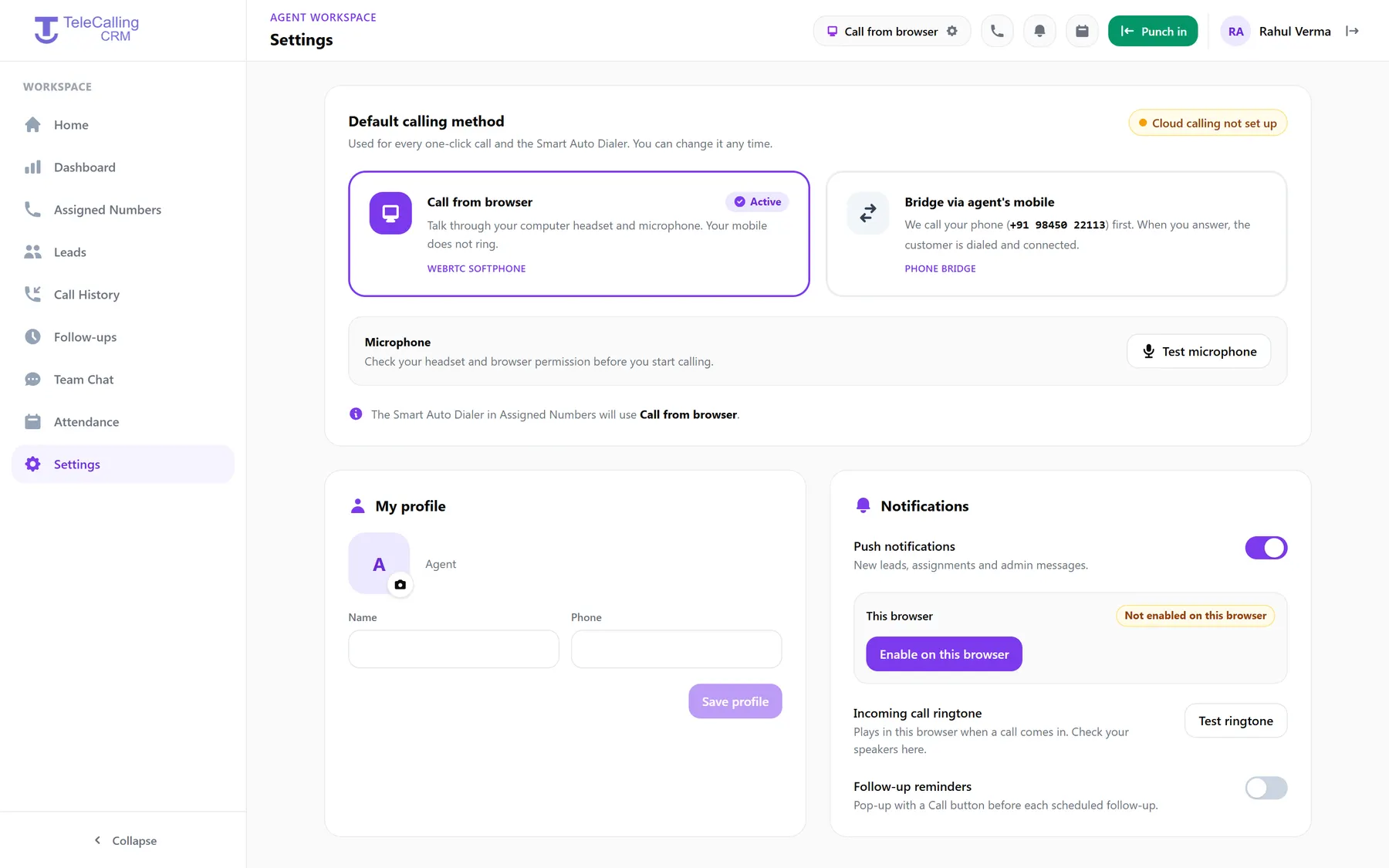
Once an admin connects Vobiz, agents choose a Default calling method in their workspace Settings:
- Call from browser — talk through the computer headset and microphone. The agent's mobile does not ring.
- Bridge via agent's mobile — TeleCalling CRM rings the agent's phone first, then connects the customer. The customer still sees your business number.
Tip
Many teams mix both: office agents call from the browser, field agents use SIM calling from the app. Every call lands in the same reports.