Leads & numbers · Article 1 of 10
How leads work — Cold Calls, Confirmed Leads and Lost Leads
The journey of a phone number from your calling list to a won deal, and which page shows it at each step.
Every person you call lives in TeleCalling CRM as a number (also called a lead or a cold call). As your team works it, the number moves through three pages.
 Cold Calls  ──call──►  Confirmed Leads  ──►  Won
 (your list)            (being worked)    └─►  Lost Leads
1. Cold Calls — your calling list
Cold Calls holds every number you've imported, added or received from an integration. Each number has a status:
| Status | Meaning |
|---|---|
| New | Just added |
| Pending | Assigned and waiting to be called |
| Called | Called at least once |
| Archived | Taken out of calling (e.g. marked Do-Not-Call) |
The cards at the top show Total, Pending, Called and Archived at a glance.
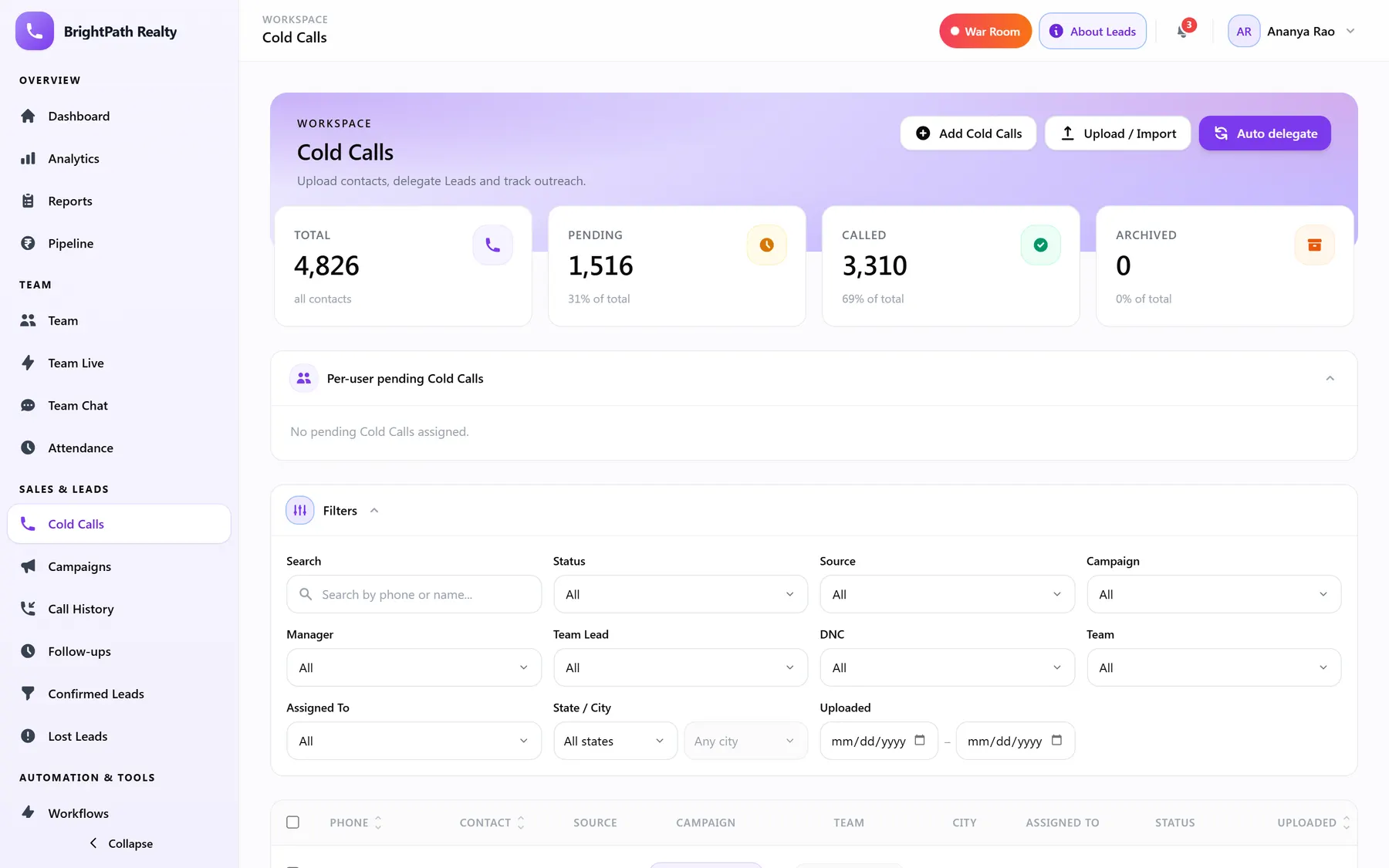
2. Confirmed Leads — leads being worked
When an agent contacts someone and logs a call, that lead shows up in Confirmed Leads. This is your working view, with the stage, deal value, call history, AI analysis, messages and follow-ups for each lead. You can view it as a Kanban board (one column per pipeline stage) or a Table.
See Confirmed leads.
3. Lost Leads — deals that didn't happen
When a lead is marked lost, the agent gives a reason — "Budget too low", "Bought elsewhere" and so on. Lost Leads lists them so you can spot patterns and win some back. See Lost leads.
Leads vs numbers when importing
When you import a file, you choose how rows come in:
- Numbers (cold pool to dial) — they go into Cold Calls, ready to be called.
- Leads (already qualified — show in pipeline) — they go straight into your pipeline, for contacts you've already spoken to.
Where every lead belongs
- A campaign — every lead belongs to exactly one campaign. If you don't choose one, it goes into General.
- A source — where it came from (Facebook Ads, 99acres, Referral…).
- An agent — or Unassigned until someone is given it.