Agent workspace · Article 1 of 6
The agent workspace — your home screen
For telecallers. What you see when you sign in on the web — today's stats, your funnel, leaderboard and callbacks.
This section is for agents (telecallers). Sign in at admin.telecallingcrm.com with the email or phone and password your admin gave you, and you'll land in your workspace.
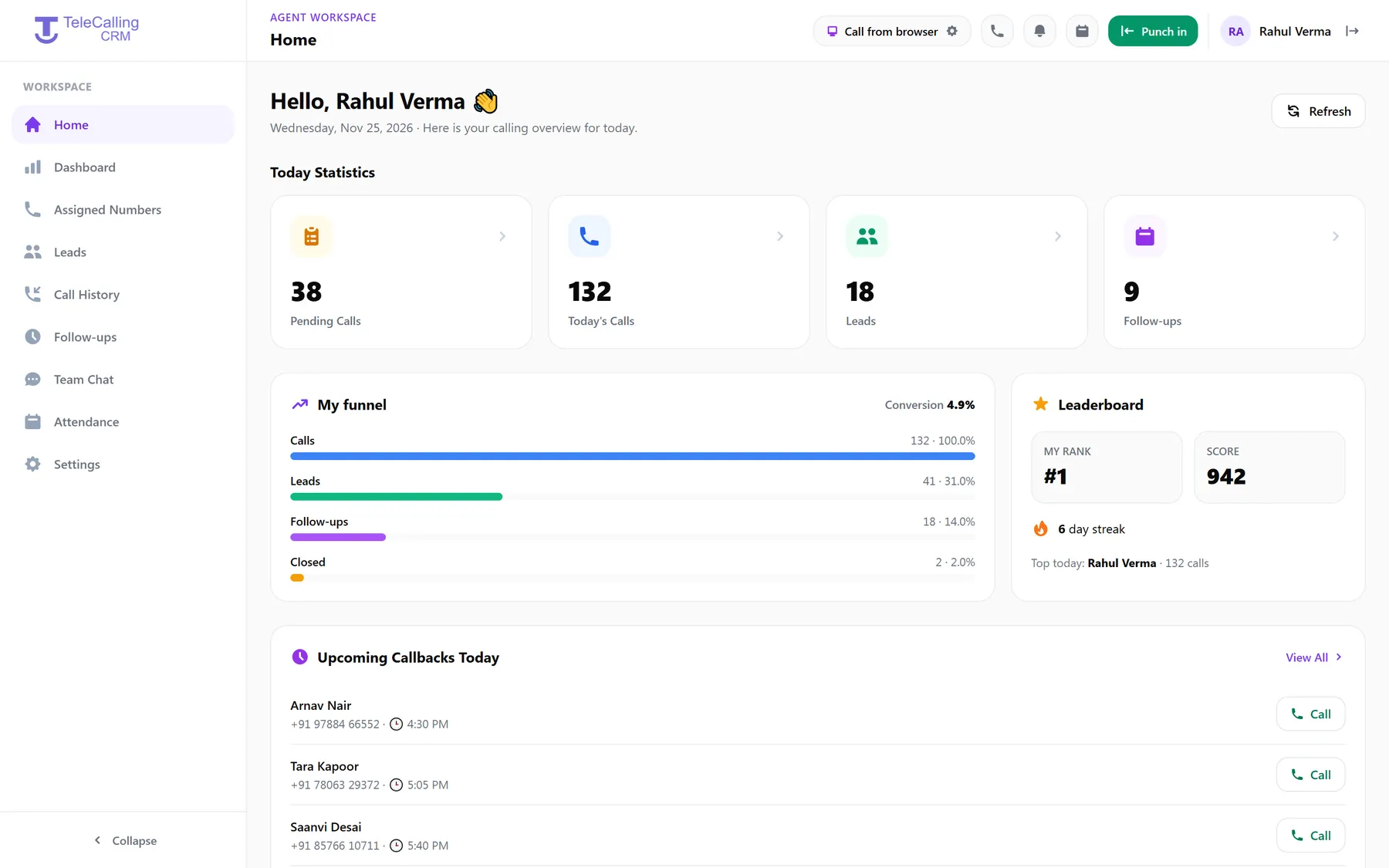
Your menu
| Page | What it's for |
|---|---|
| Home | Today's numbers and callbacks |
| Dashboard | Your performance over time |
| Assigned Numbers | Your calling list — calling your leads |
| Leads | Leads you've spoken to |
| Call History | Your calls — call history |
| Follow-ups | Your callbacks — follow-ups |
| Team Chat | Messages with your team |
| Attendance | Your punch-in history — attendance |
| Settings | Calling method, profile and notifications — settings |
The top bar
- Punch in / Punch out — start and end your day. See How attendance works.
- Call from browser — shows your calling method.
- Phone icon — dial any number.
Home
- Today Statistics — Pending Calls, today's calls, Leads and Follow-ups.
- My funnel — calls, leads, follow-ups and closed, with your conversion rate.
- Leaderboard — your rank in the team and your score.
- Upcoming Callbacks Today — tap Call to ring them. View All opens Follow-ups.
Click Refresh to update the numbers.