Leads & numbers · Article 7 of 10
Confirmed leads and the lead details panel
Work your active leads on a Kanban board — see calls, AI analysis, stage history, messages and follow-ups for each lead.
Confirmed Leads is your working view of everyone your team has contacted. Each lead carries its stage, deal value, call history and next follow-up.
Kanban or table
Switch between the two views at the top right:
- Kanban — one column per pipeline stage. Each column shows the number of leads and their total deal value. Great for a quick look at your funnel.
- Table — a sortable list with Contact, Phone, Stage, Source, Last called and Actions.
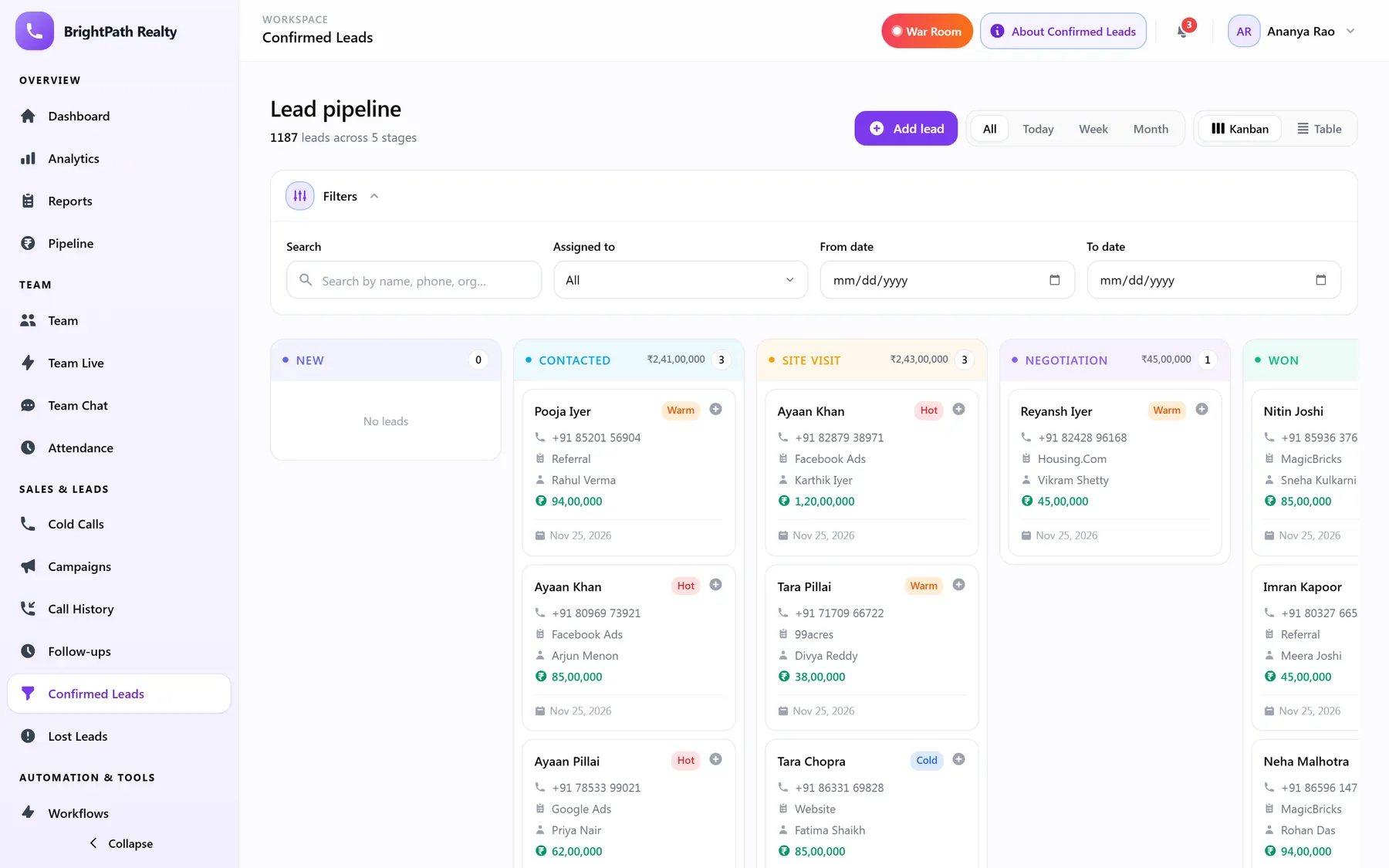
Use All / Today / Week / Month, Search by name, phone, org…, Assigned to and the date filters to narrow the list.
The lead details panel
Click any lead to open its details. You'll find:
| Section | What it shows |
|---|---|
| Contact information | Phone, email, organisation, stage, assigned agent, notes and tags. Click Edit lead to change them. |
| Call history | Every call with its outcome, duration and recording. Calls picked up automatically from the agent's phone show as auto-logged; suspicious ones show as flagged. |
| AI analysis | For a recorded call, click Analyze to get a summary, key points, action items, coaching feedback and the transcript — plus the customer's emotional reaction, speech manner / tone and vocal pitch & volume. See AI call analysis. |
| Stage history | Every stage change — who moved the lead and when. |
| Transfers & escalations | If the lead was passed between agents. |
| Messages | SMS, email and WhatsApp messages sent to this lead. |
Actions on a lead
- Add follow-up — schedule a callback with a Due date and Due time.
- Mark lead as lost — give a Reason (e.g. Budget constraints, went with competitor…) and click Confirm lost. It moves to Lost Leads.
- Export data — download everything you hold on this contact.
- Erase contact — permanently delete the contact and all their data, for privacy requests. See Data & compliance.
Add a lead by hand
Click Add lead — see Add a single number or lead.