Team chat & help · Article 3 of 3
Getting support
Raise a support ticket from inside the CRM, track its progress and reply to our team.
If something isn't working, raise a ticket from the Support page. Our team replies inside the CRM.
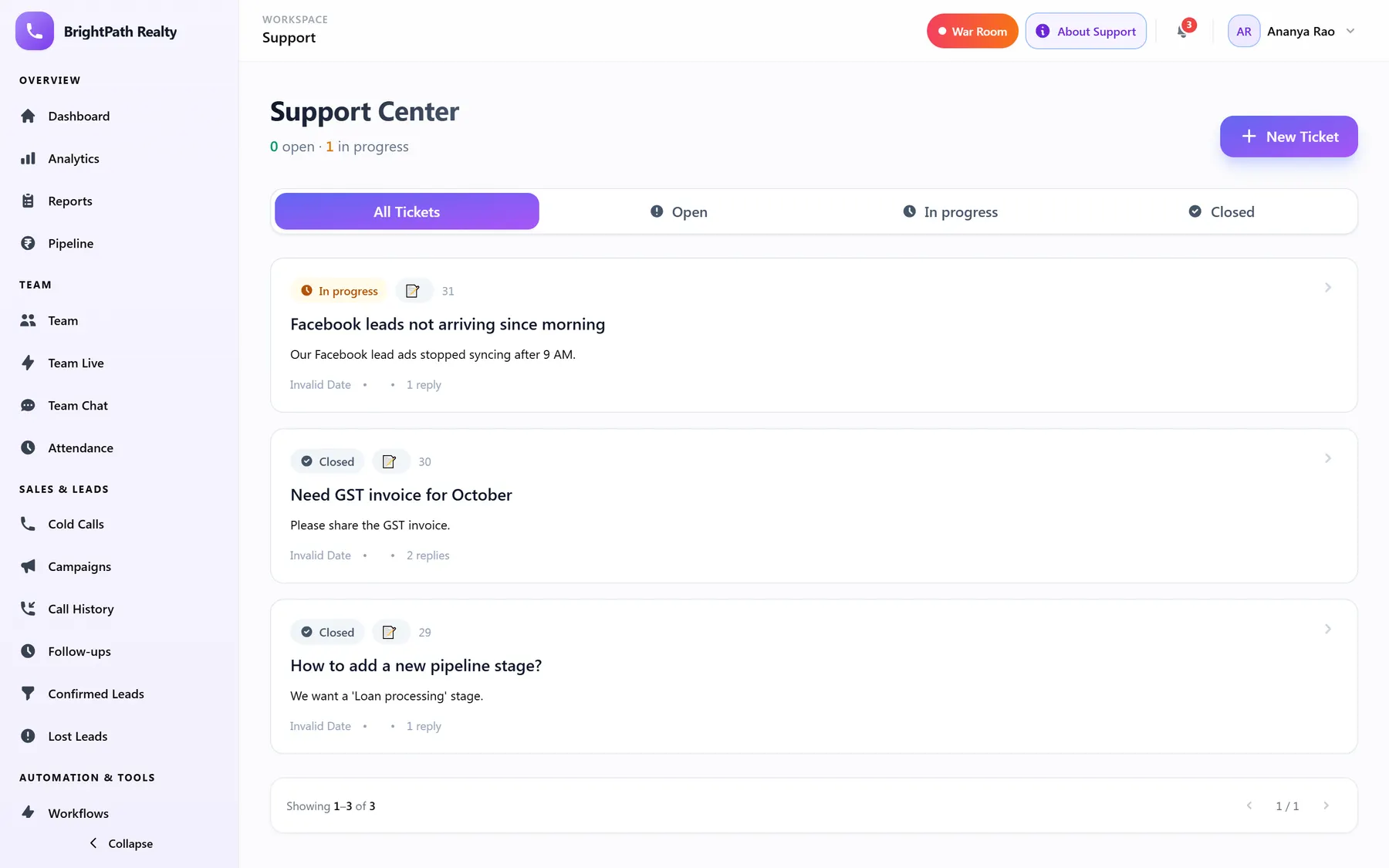
Raise a ticket
- Go to Support (under Account) and click New Ticket.
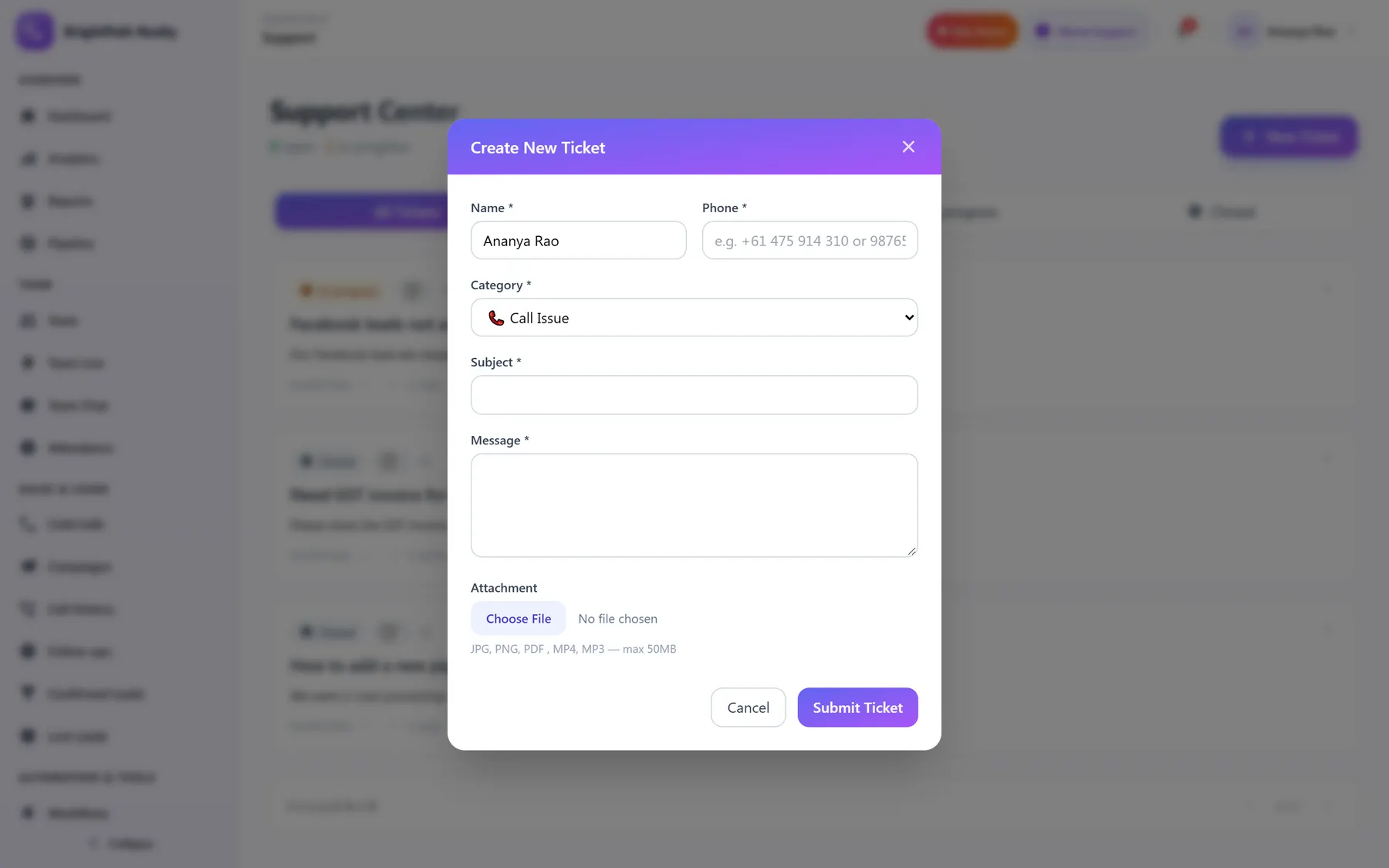
- Fill in Create New Ticket:
- Name and Phone — so we can call you if needed
- Category — Call Issue, Lead Management, Follow-Up Problem, Billing & Payments, Account Access, Agent Performance, Number Management, Technical Issue, Feature Request or Other
- Subject — one line, e.g. Facebook leads not arriving since morning
- Message — what happened, when, and which agent or lead it affects
- Attachment — a screenshot or screen recording helps a lot (JPG, PNG, PDF, MP4 or MP3)
- Click Submit Ticket. You'll see Ticket submitted successfully!
Track your tickets
Tickets are listed under All Tickets, Open, In progress and Closed. Click a ticket to read our replies and answer them. When it's sorted, click Close Ticket.
Help without a ticket
- Click About this page in the top bar of any page for a quick explanation.
- Search this knowledge base.
- Email or call us from the contact page.