Agent workspace · Article 6 of 6
Your profile and settings
For telecallers. Choose how you call, test your microphone, update your profile and set notifications.
Open Settings in your workspace menu.
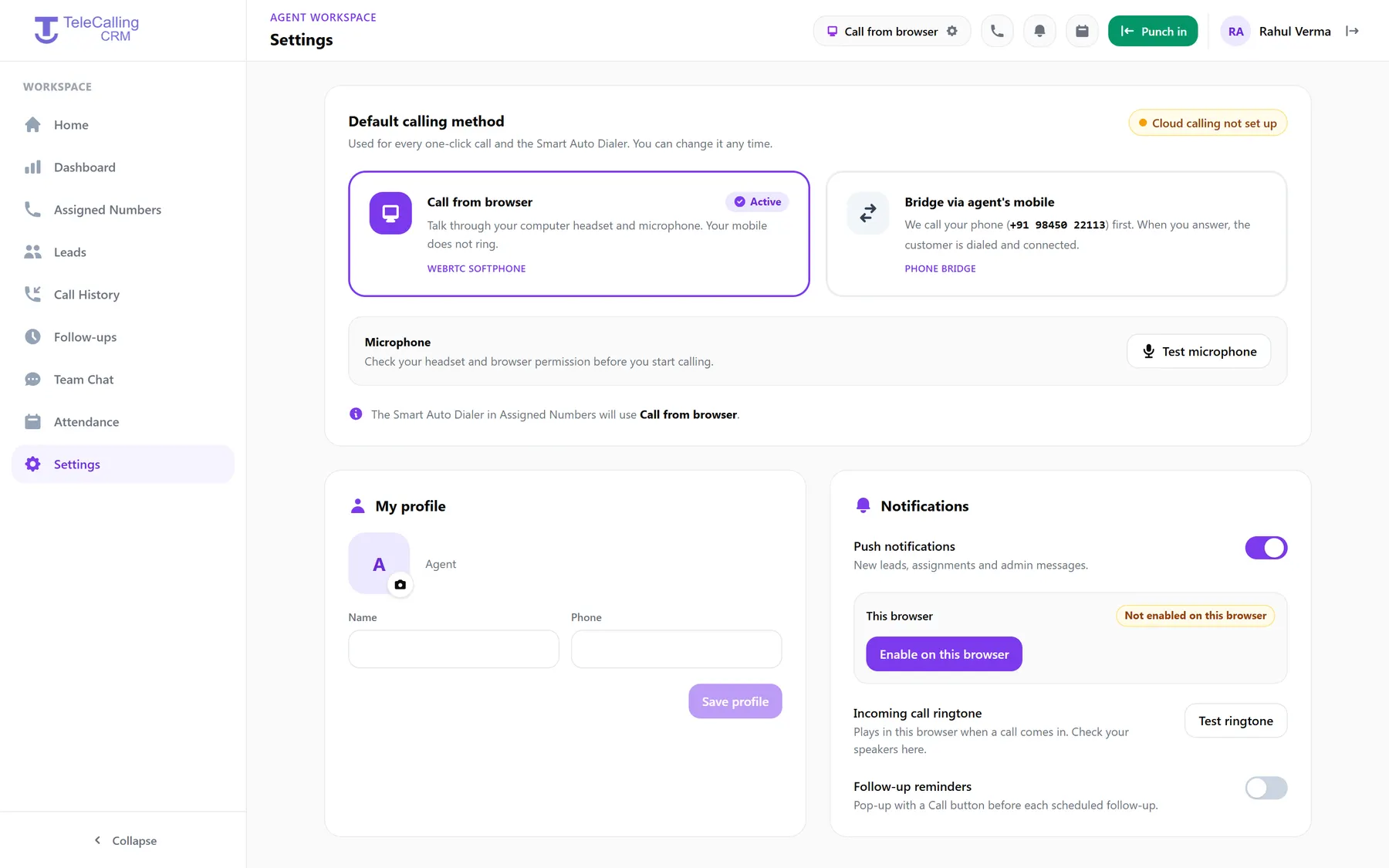
Default calling method
Used for every one-click call and the Smart Auto Dialer.
- Call from browser — talk through your headset. Your mobile does not ring.
- Bridge via agent's mobile — we call your phone first, then the customer.
This needs cloud calling to be set up by your admin. See Calling from the browser.
Microphone
Check your headset and browser permission before you start calling. Click the test button to check your microphone works.
My profile
Update your Name, Phone and profile photo, then save.
Notifications
| Setting | What it does |
|---|---|
| Push notifications | New leads, assignments and admin messages. Click Enable on this browser. |
| Incoming call ringtone | Plays in this browser when a call comes in. Test your speakers here. |
| Follow-up reminders | Pop-up with a Call button before each scheduled follow-up. Use Remind me to choose how early. |
Change your password
Ask your admin to set a new password for you, or use Forgot password? on the sign-in page. See Log in and reset your password.