Monitoring & reports · Article 2 of 7
Team Live
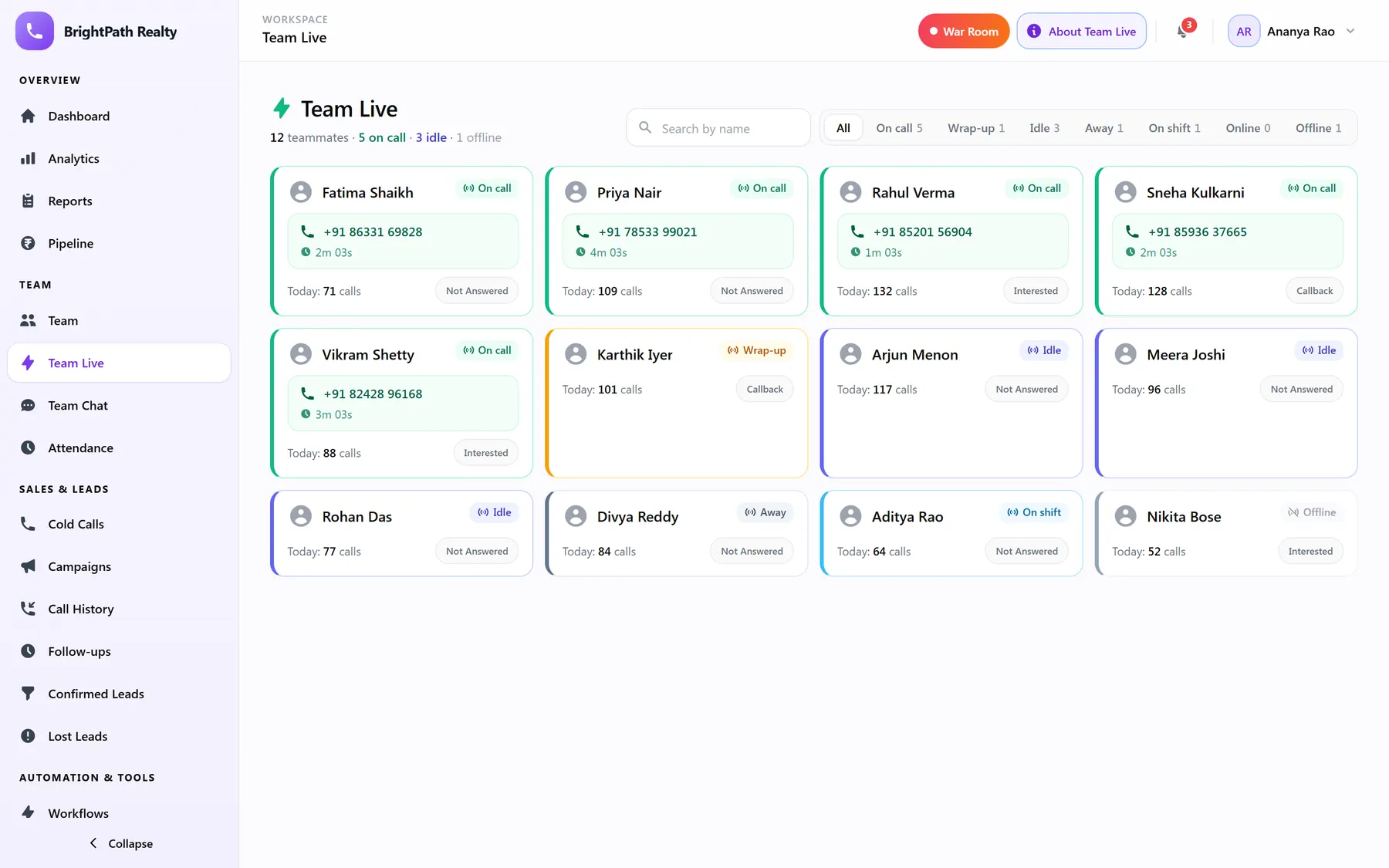
See every agent's status in real time — on call, wrap-up, idle, away or offline — with today's calls.
Team Live shows what every agent is doing right now. It updates by itself — no need to refresh.
Agent statuses
| Status | Meaning |
|---|---|
| On call | Talking to a customer now |
| Wrap-up | Just finished a call and filling in the outcome |
| Idle | On shift but not on a call |
| Away | Stepped away or on a break |
| On shift | Punched in |
| Online | Signed in |
| Offline | Not signed in |
Each card also shows the agent's phone number, the number they're on a call with, and Today: their call count.
Filter the floor
Use the tabs at the top (All, On call, Wrap-up, Idle…) — each shows a count — or Search by name.
Tip
Several agents Idle for a long time usually means their queue is empty. Check Per-user pending Cold Calls and assign more numbers.
For a full-screen view to put on a TV, use the War Room.