Messaging · Article 2 of 4
WhatsApp Business (Meta Cloud API)
Chat with leads from the CRM, turn WhatsApp enquiries into leads automatically, and broadcast approved templates.
The WhatsApp page connects your WhatsApp Business number through Meta's official Cloud API. It has three tabs: Inbox, Broadcast and Setup.
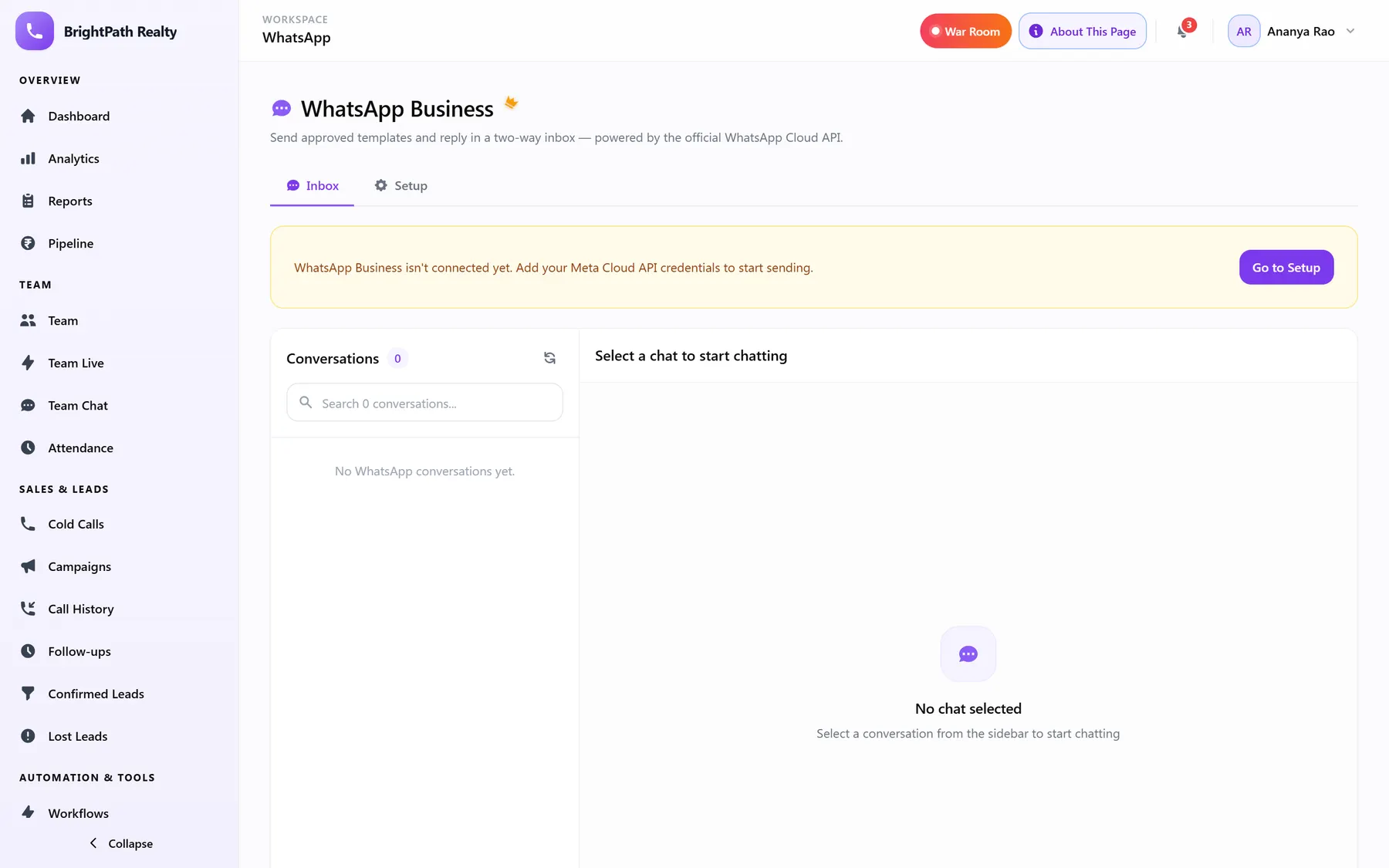
Set up (one time)
You'll need a Meta Business account with a WhatsApp Business number and a Meta app.
- Open the Setup tab.
- Under Meta Cloud API credentials, enter:
- Phone number ID — from WhatsApp → API Setup in Meta
- WhatsApp Business Account (WABA) ID — needed to fetch your approved templates
- Permanent access token — a system-user token. It's stored securely and shown masked once saved.
- App secret — used to verify incoming messages
- Display number and Default country code
- Save.
- Under Webhook (paste into your Meta app), copy the Callback URL and Verify token into Meta → WhatsApp → Configuration, and subscribe to the messages field.
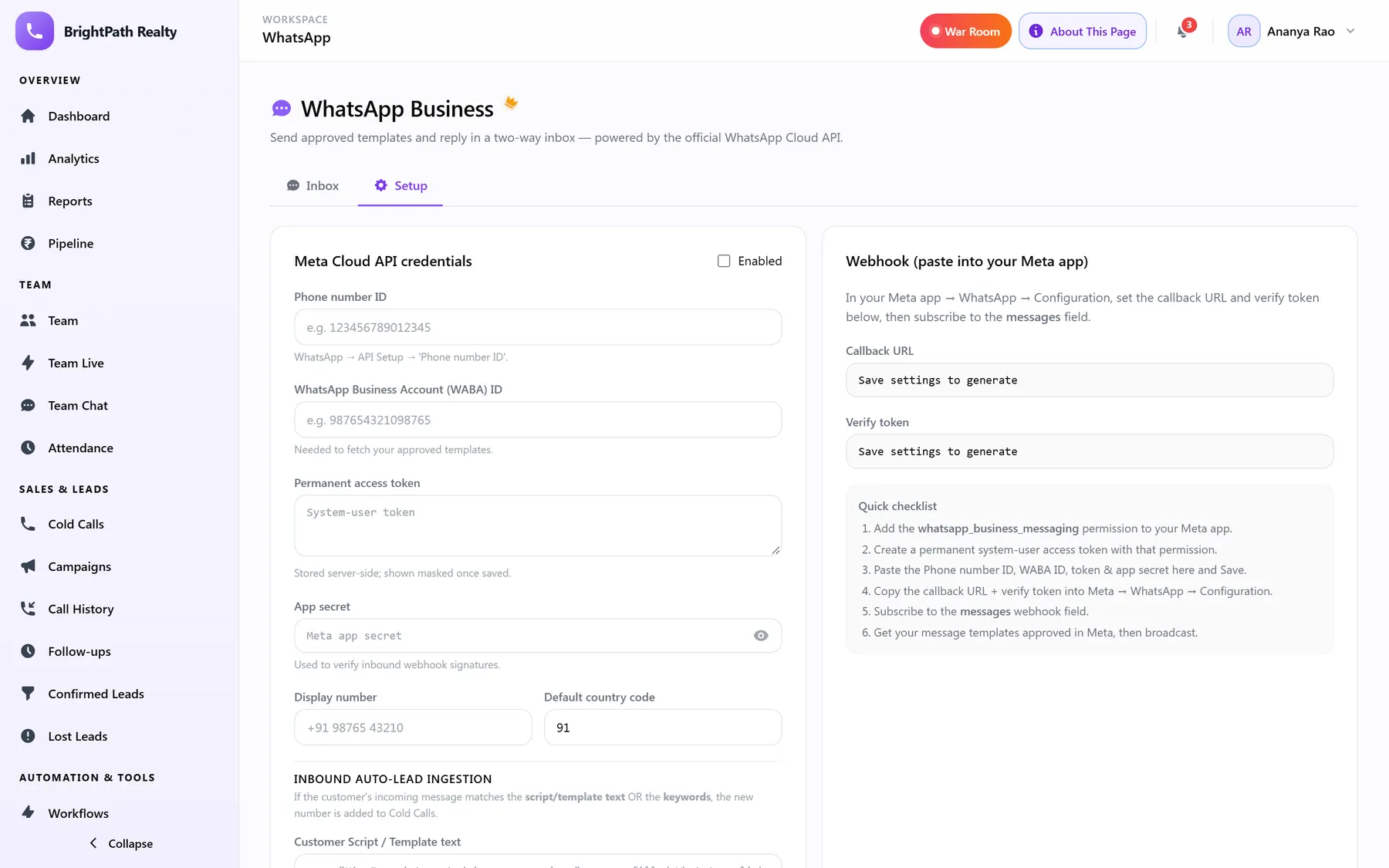
Quick checklist (also shown on the page):
- Add the whatsapp_business_messaging permission to your Meta app.
- Create a permanent system-user access token with that permission.
- Paste the Phone number ID, WABA ID, token and app secret, and save.
- Copy the callback URL and verify token into Meta.
- Subscribe to the messages webhook field.
- Get your message templates approved in Meta, then broadcast.
Turn WhatsApp messages into leads
Under Inbound Auto-Lead Ingestion:
- Customer Script / Template text — the pre-filled message customers send from your ads or website button. If their message matches, they're added to Cold Calls.
- Auto-create keywords — words like price, site visit or enquiry that also create a lead.
Choose Inbound Lead Assignment: Round Robin (All Active Users), Specific Team / Department or Specific Team Member(s).
Inbox
All conversations appear in Inbox. Open a chat to reply, send photos, videos, audio or documents, and — from the chat — Add Lead to Cold Calls, Confirm Lead or Edit Lead Details.
Broadcast
Send an approved template to many leads at once:
- Open Broadcast and click Compose broadcast.
- Choose an Approved template (templates must be approved in Meta first).
- Fill template variables from lead fields — e.g. variable 1 = contact name.
- Search and select the leads, then click Confirm Broadcast.
- The Broadcast Summary shows Successfully Sent and Failed, with any errors.
Meta charges per conversation and may limit numbers that send to people who didn't opt in. Only broadcast to leads who expect to hear from you.