Calling · Article 5 of 5
Call history and recordings
Search every call your team has made, listen to recordings, read AI insights, correct outcomes and flag calls for review.
Call History lists every call your team has made — searchable and editable.
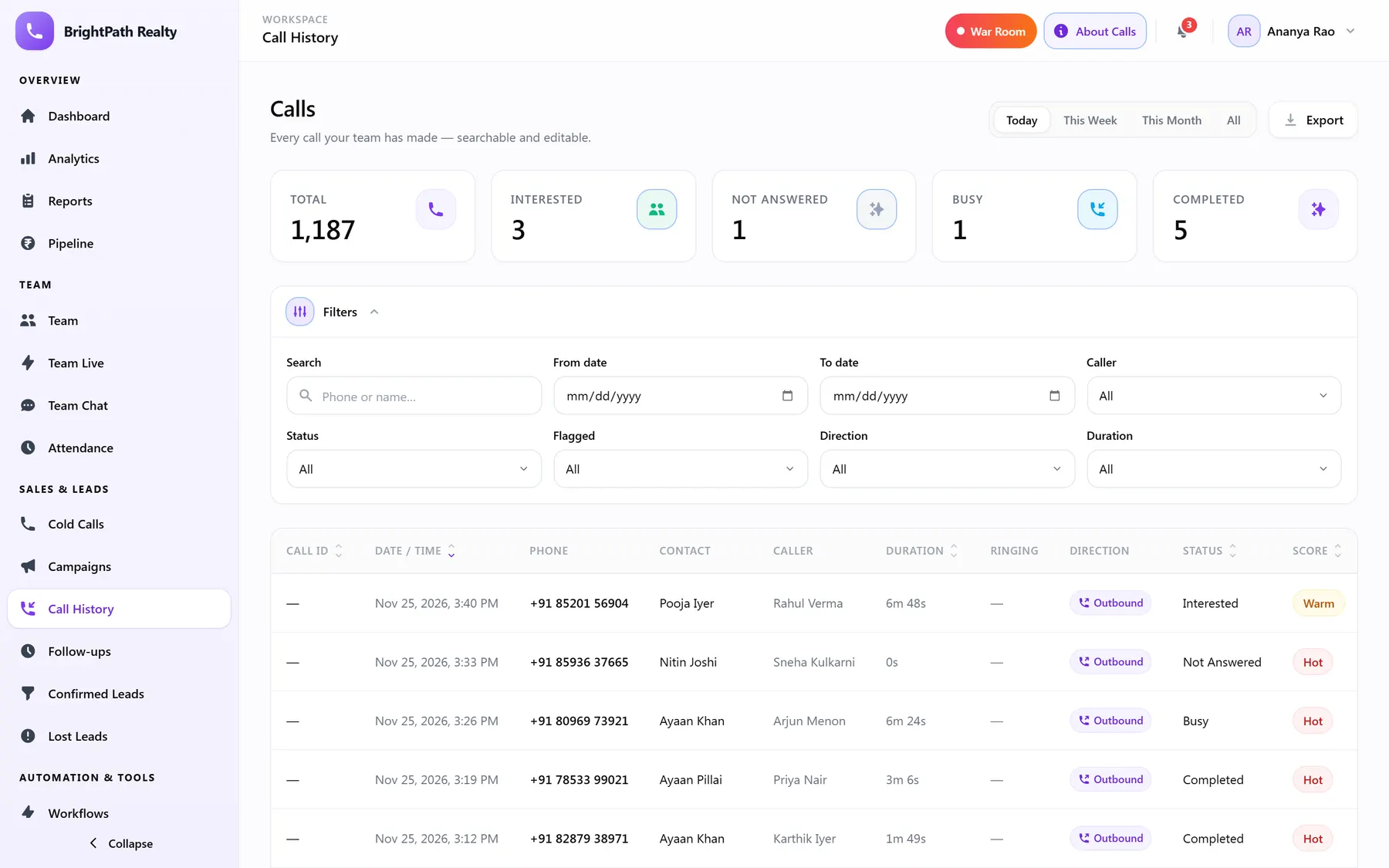
Find a call
Use Today / This Week / This Month / All, then Filters:
- Search — phone or name
- From date / To date
- Caller — one agent
- Status — the call outcome
- Flagged — Flagged or Not flagged
- Direction — Outbound or Inbound
- Duration — from 0 – 10 sec up to 10 min +
Filter Duration = 0 – 10 sec with Status = Interested to find calls that were probably logged wrongly.
Open a call
Click View details on a row to see:
- Started, Ended, Ringing Duration and talk duration
- Notes the agent wrote
- Recording — play it in the browser
- AI insights — summary, key points, action items, coaching and transcript. See AI call analysis.
- Follow-up history for the lead
Correct a call
Click Edit to change the Status or Lead score if an agent picked the wrong one.
Flag a call for review
Tick Flag this call — Mark for review by a team lead — and add a Flag reason. Flagged calls are easy to find with the Flagged filter. Click Unflag once it's reviewed.
TeleCalling CRM also flags suspicious calls automatically, such as an Interested outcome on a 0-second call.
Export
Click Export calls to Excel to download the calls matching your filters.