Team chat & help · Article 1 of 3
Team chat
Message your team inside the CRM — groups, announcements, direct messages, voice notes and shared call recordings.
Team Chat keeps team conversations inside TeleCalling CRM, next to the leads and calls you're discussing — no personal WhatsApp groups needed.
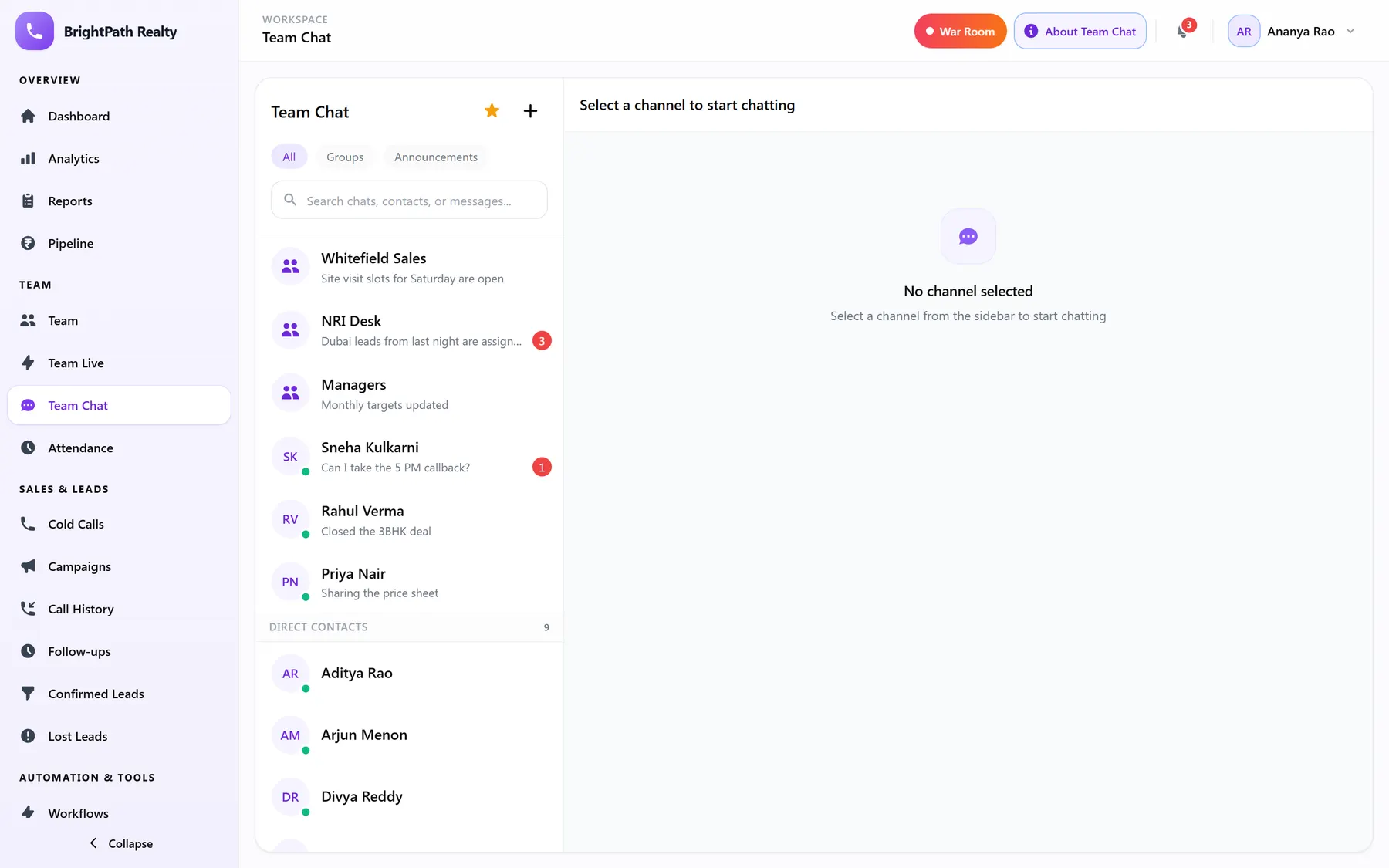
Channels
The left side lists your chats. Filter with All, Groups and Announcements, or search chats, contacts and messages.
- Groups — e.g. Whitefield Sales or NRI Desk, for day-to-day talk.
- Announcements — for messages from managers to everyone.
- Direct messages — one-to-one with a colleague.
Create a channel
- Click Create channel.
- Enter a Channel Name and choose the Channel Type.
- Add members, then create it.
To change members later, open the channel and click View members → Add members or Remove.
Messages
- Send text, Photo, Video, File and voice notes.
- Share a Call Recording so the team can listen together.
- Hover a message to Reply, Edit, Delete or see Info (Sent, Delivered, Read).
- Pin important messages — they appear under Pinned Messages. Star messages to find them under Starred messages.
- Use Search messages in this chat... to find something said earlier.