Leads & numbers · Article 8 of 10
Lost leads
Review why deals fall through, and give lost leads a second try.
When an agent marks a lead as lost, they choose or type a reason. The Lost Leads page collects all of them, so you can see why deals don't close — and do something about it.
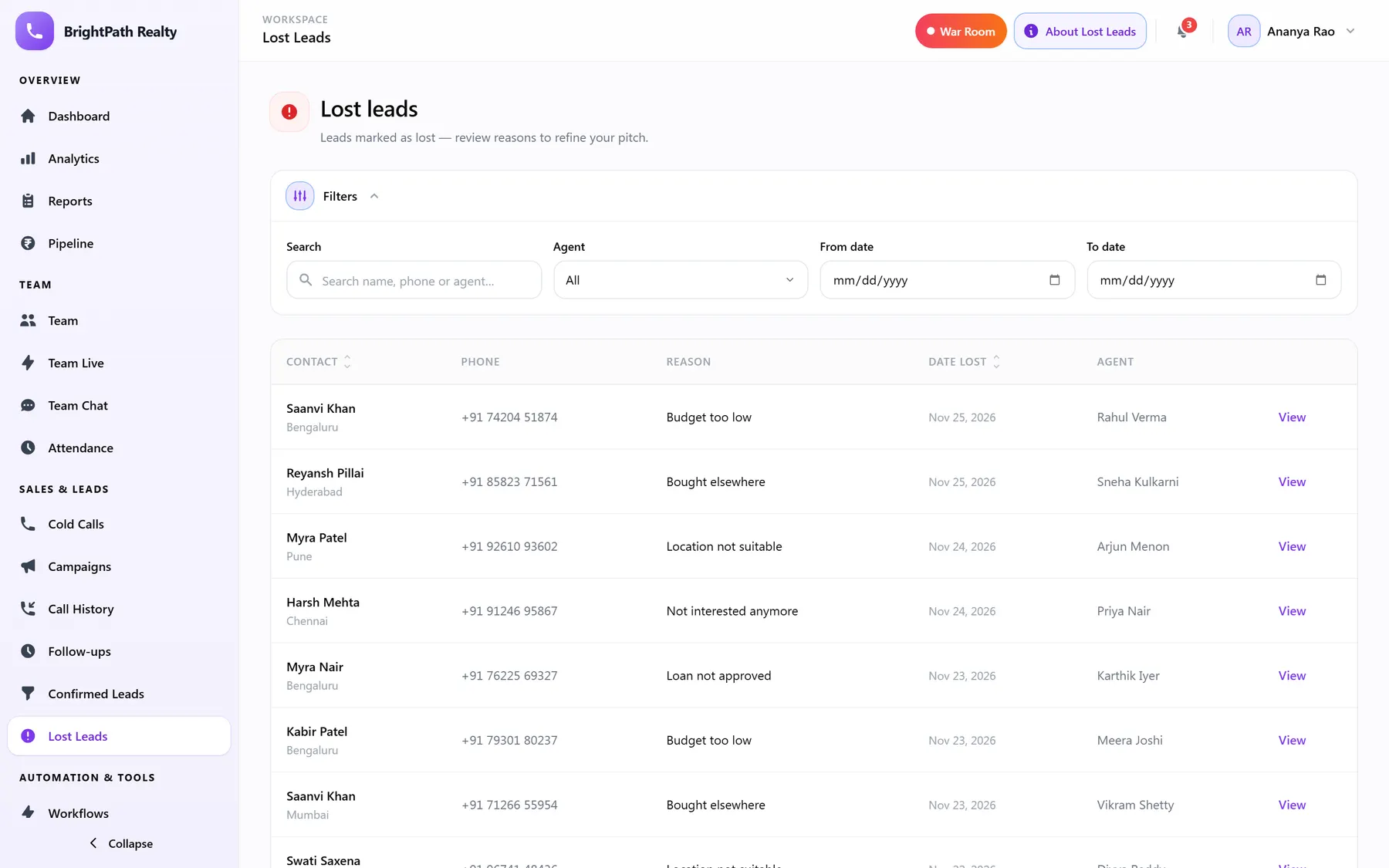
Find lost leads
Use the filters at the top:
- Search name, phone or agent…
- Agent — one agent's lost leads
- From date / To date — when they were lost
Each row shows the Contact, Phone, Reason, Date lost and the Agent. Click View to see the full Lost lead details, including the agent's notes.
Use lost reasons to improve
Review this page every week. If many leads say Budget too low, look at your lead sources or pricing. If many say Bought elsewhere, your follow-up may be too slow — check follow-up reminders.
Make lost reasons consistent: ask agents to start the reason with a short category, e.g. Budget — …, Location — …, Competitor — …. It makes patterns easy to spot.
Give a lost lead a second try
The Lost Leads page is for review. To call someone again:
- Go to Cold Calls and search for their number.
- Tick it and use Bulk edit to set Status back to Pending (and change the Stage if you need to).
- Click Assign / Reassign and give it to an agent.