Agent workspace · Article 3 of 6
Your follow-ups
For telecallers. See today's callbacks, call them, mark them done or reschedule in one tap.
The Follow-ups page lists every callback you've scheduled.
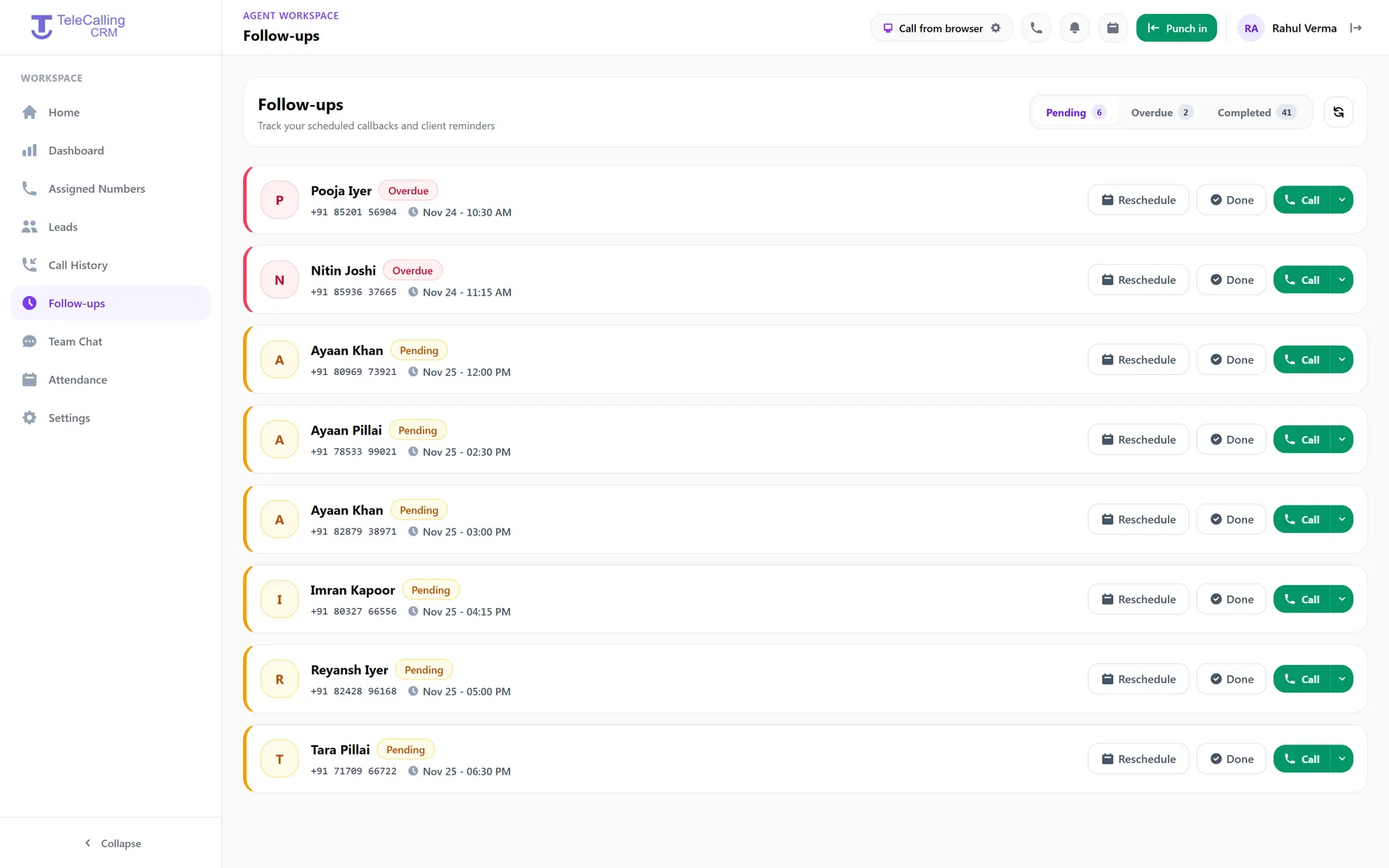
The three tabs
- Pending — coming up.
- Overdue — the time has passed. Call these first!
- Completed — done.
For each follow-up
- Call — ring the customer.
- Done — mark it complete after the call.
- Reschedule — pick a new time: In 1 hour, Tomorrow 10 AM, In 3 days, Next week, or a custom Date and Time. Add a Note and an Agenda for next call so you remember what to say.
Never miss one
Turn on Follow-up reminders in your Settings to get a pop-up with a Call button before each callback. See Follow-up reminders.