Billing · Article 2 of 4
Pay, renew and upgrade
Buy a plan, renew before it expires, upgrade with credit for unused days, and apply coupon codes.
Everything to do with your subscription is on the Billing page (under Account).
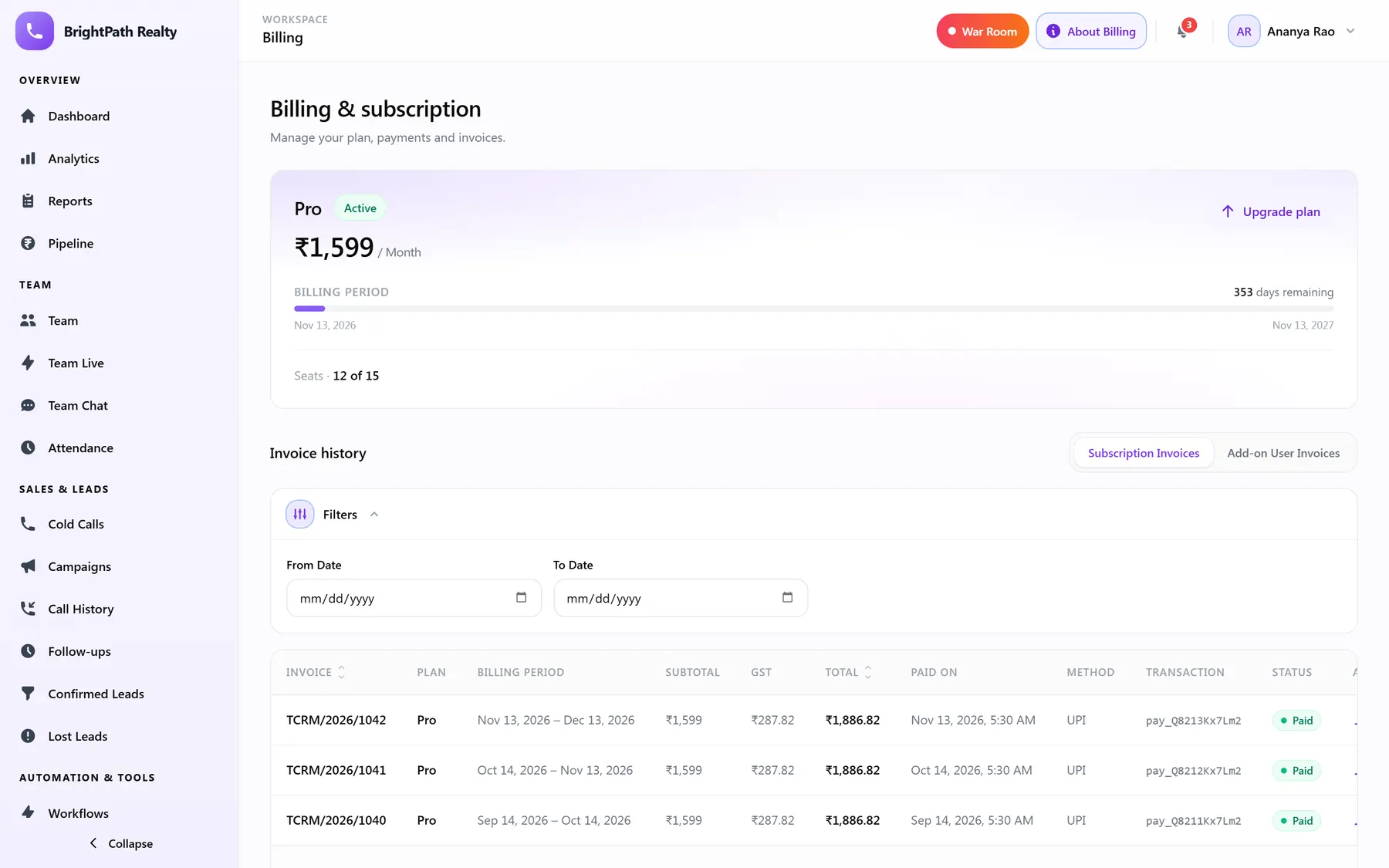
The top card shows your plan, price, Billing period, days remaining and seats used.
Buy or upgrade a plan
- Go to Billing and click Upgrade plan.
- Choose a billing cycle — Monthly, Quarterly, Semi-Annual or Annual.
- Pick a plan. Your Current Plan is marked.
- Under Need Extra User Seats with this Plan?, add Extra Seats if you need them.
- Have a coupon? Enter it under Have a Coupon Code?.
- Check the summary and pay.
Upgrade credit
When you upgrade mid-cycle, the Plan Upgrade Proration Summary shows the unused credit deducted from new plan: you only pay the Remaining Amount, plus GST.
Some plans need a longer billing cycle than you're on — they show Higher Cycle Required. A Lower Tier plan than your current one can't be bought mid-cycle.
Renew
Before your plan ends, click to renew. The Renewal Payment Breakdown shows:
- Plan Charges with CGST (9%) and SGST (9%)
- Include Add-on Users — keep your extra seats. You can Modify seats during renewal.
- Total Renewal Amount
If you exclude add-on seats, team members beyond your base plan limit are deactivated when the renewal starts.
If your plan expires
- Your agents are set to Inactive, so they can't sign in or call.
- The admin panel shows only Billing, Support and Settings.
- All your data — leads, calls, recordings, follow-ups — is kept.
When you renew, agents are switched back to Active, up to the number of seats on your plan, oldest accounts first. Anyone beyond the limit stays inactive — add seats and reactivate them from Team → Team Members.
Renew a few days before the end date so your team never loses a day of calling.
Paying
Payments are made securely online by card, UPI or net banking. If a payment fails, you'll see the reason, and you can try again.