Lead integrations · Article 4 of 6
Property portals, Google Ads and webhooks
Connect 99acres, MagicBricks, Housing.com, JustDial, IndiaMART, Google Ads and any tool that can send a webhook.
Push integrations give you a private web address (a webhook URL). The portal or tool sends each new lead to that address, and it appears in your CRM instantly.
Works with: 99acres, Housing.com, MagicBricks, JustDial, Sulekha, IndiaMART, Google Ads lead forms, Google Forms, Wix, Shopify, WooCommerce, Razorpay, Unbounce, Sarv — and any other tool that can send a webhook.
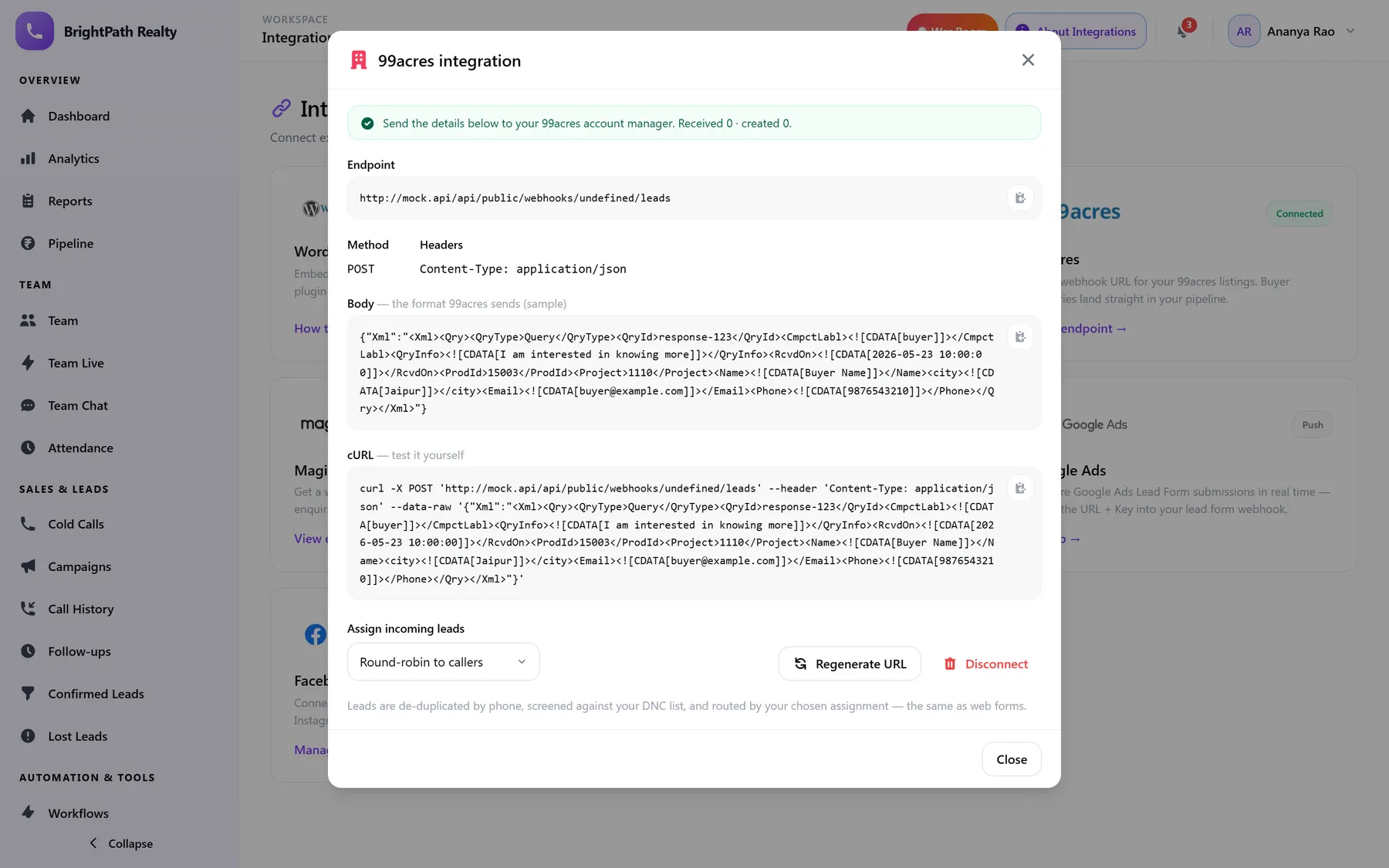
Connect a portal
- Go to Integrations and click the portal — e.g. 99acres.
- Click to generate your endpoint. You'll get a Webhook URL with your private Key.
- Choose Assign incoming leads — Round-robin to callers or Leave unassigned.
- Send the webhook URL to the portal:
- Property portals (99acres, MagicBricks, Housing.com) — email the URL to your account manager at the portal and ask them to push leads to it.
- Google Ads — paste it into your lead form's webhook setting.
- Other tools — paste it wherever the tool asks for a webhook URL.
For developers
Each portal sends leads in its own format, and the panel for that portal shows exactly what it expects:
- Endpoint and Method — most send a
POSTwithContent-Type: application/json; MagicBricks and JustDial send aGETwith the details in the URL (Params). - Body or Params — a sample with the field names that portal uses.
- A ready-to-copy cURL example you can run to send a test lead.
Every format needs a phone number — leads without one are rejected.
Keep the URL private
Anyone with your webhook URL can add leads. If it leaks, click Regenerate URL — the old one stops working, so update it wherever you've used it.